Paper books
Paper books are the one kind of reading Daf can't see by itself, so this page covers the two ways you tell it about them: logging the minutes, and photographing the pages you marked so the lines become highlights. Paper is often what gets read when there are no screens, on Shabbat for one, so both of these are built to be done afterwards, in a minute.
Logging minutes
Press Log paper at the top of Today, or find it with ⌘K. The dialog asks for:
- Minutes, with quick buttons for 15, 30, 45, 60 and 90;
- Which day: Today, Yesterday, or Shabbat with its date;
- Pages, if you have a page goal (optional);
- a Note, usually the book's name (optional).
Press Log it, and the minutes show up on Today under "Paper".
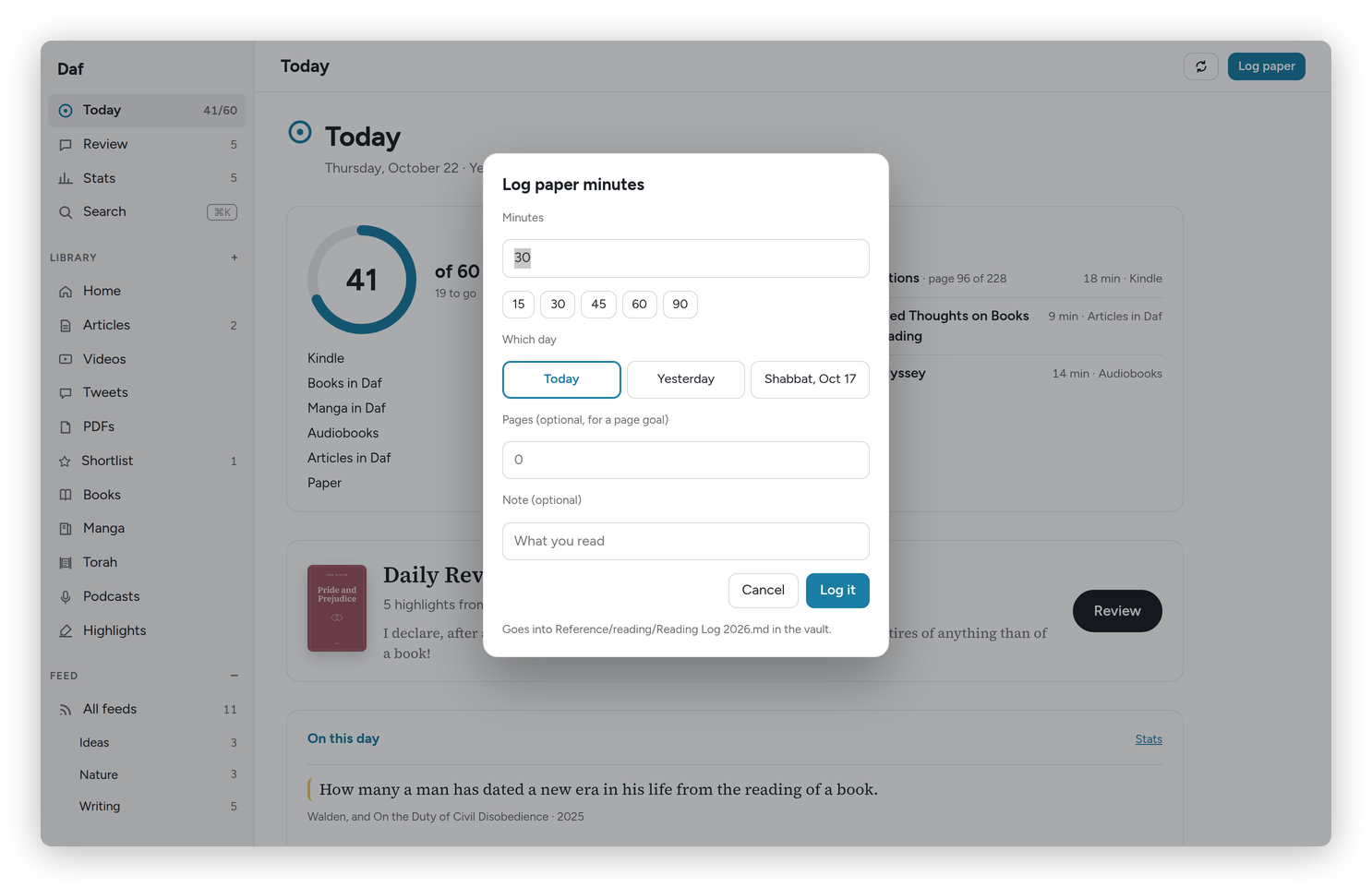 Log paper minutes. The line at the bottom says which vault note it goes into.
Each entry becomes one line in a reading log note in the vault (Reference/reading/Reading Log 2026.md for this year). That note is the real record, because these minutes exist nowhere else, and Daf reads them back from it. If you fix a line there in Obsidian, Daf follows your fix.
From a text message
I log paper with my Signal bot, Ezer, which runs the daf command line on the server, so I never open anything:
- "read 40 paper" or "paper 40" logs 40 minutes today;
- "shabbat 60" logs an hour on Saturday.
On the server it's daf log-paper 40, with --yesterday, --shabbat or --date 2026-10-10 for another day, --pages 32 for a page goal and --note "Middlemarch" for a note. If you have your own way of sending a message to a script, that's the command to call.
Shabbat
Daf counts days in your home time zone, so an hour read on Shabbat afternoon belongs on Saturday. Logging it with "shabbat", or choosing Shabbat in the dialog, puts it there even if you log it after havdalah, or on Sunday morning. On Friday, Today reminds you of exactly this.
Paper pages: pencil marks into highlights
If you mark the lines you like in pencil, the old way, photograph the page afterwards, and Daf reads it and keeps the marked lines as highlights in that book, the same as a Kindle highlight.
There are three ways to send a photo:
- Text it to Ezer with the caption page, or page 112 middlemarch, which names the page and the book.
- Share it to Daf from the phone's gallery, with "Save to Daf".
- Open Paper pages in the sidebar and press Add a page. You can pick several photos at once.
Daf reads the page in about fifteen seconds, in English or in Hebrew, line by line. It notices which lines you marked and copies anything you wrote in the margin. The marked lines are kept right away: each run of lines next to each other becomes one highlight with its page number, and a margin note beside it becomes that highlight's note. They go into the review and into the book's note in the vault, under Daf's part of it.
Fixing what Daf read
Open the page in Paper pages to check it. "Tap the lines to keep" shows every line, with ✎ next to the ones Daf saw marked, and you can tap more lines in or out, then press Save. Read again reads the photo again from scratch, and Delete removes the page and its highlights.
Daf finds the book from the caption first, then from the running head at the top of the page, then from the last paper page you sent in the past two weeks. If it still can't tell, the page says Which book?, and you can search your books or type a new title. A paper book that isn't in Calibre or the vault gets a small note of its own.
The reading itself is done by Claude, on my subscription, with nothing but the photo. The photos stay on the server.
Basically, instead of copying out the lines by hand after Shabbat, you take one photo a page and Daf does the copying.