The Android app
The Android app is Daf on the phone and the tablet, with the things a web page can't do from inside a browser: the hour on the home screen, "Save to Daf" in the share sheet, the volume keys turning pages, listening with the screen off, books kept on the phone, and the evening nudge. The page inside is the same live site, so everything else in these docs works the same. It needs Android 12 or newer, and you build it from the repository (see Install).
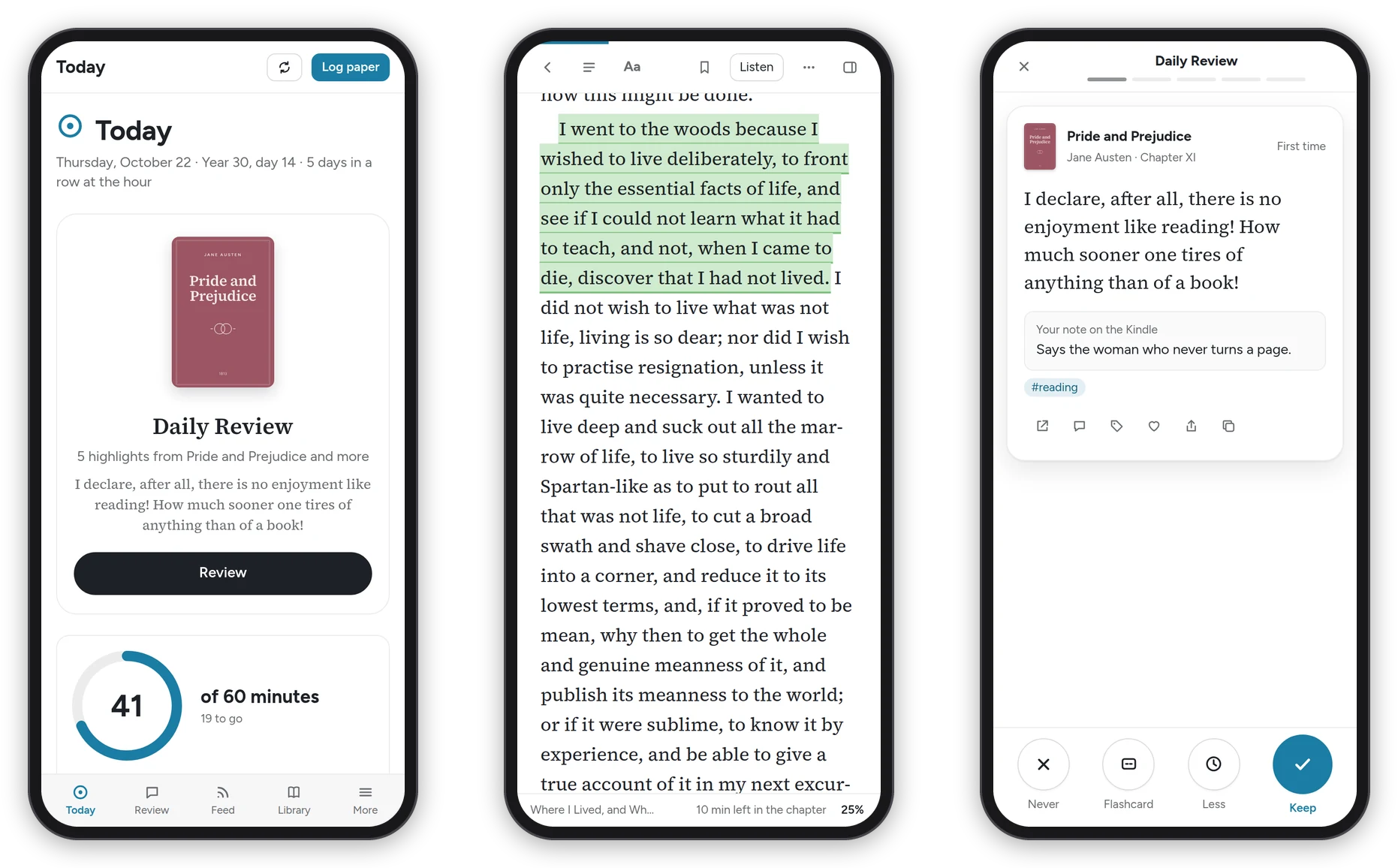 Today, a book with a highlight, and the daily review on a phone.
The app
Daf fills the screen between the status bar and the navigation bar, which both take the background of the theme you picked, and it has the bottom bar the phone layout has: Today, Review, Feed, Library and More. The phone's Back closes whatever is in front first (search, a dialog, the highlight bar, a sheet), then goes to the page before, and leaves the app only when there's nowhere left to go. Links to anything outside Daf open in the browser.
Sign in once inside the app, and it connects itself: the widget, the share sheet and the nudge get a device token of their own, and Preferences → Account lists the phone as "Daf for Android" with its model name after it. A phone and a tablet each get their own, so connecting one never cuts off the other.
On a tablet
On a tablet the sidebar is the mini one, a strip of icons, and a book held sideways opens as two pages side by side. On the phone a book is just the page, and one tap in the middle brings its menu (see The reader).
With an S Pen you can write on articles and books, highlight with the pen and take notes in the margin, and the pen's button opens the round menu of pens: see Writing with a pen. [ ] in a reader's bar puts it on the whole screen, with the status and navigation bars gone and the screen kept on: see Focus mode.
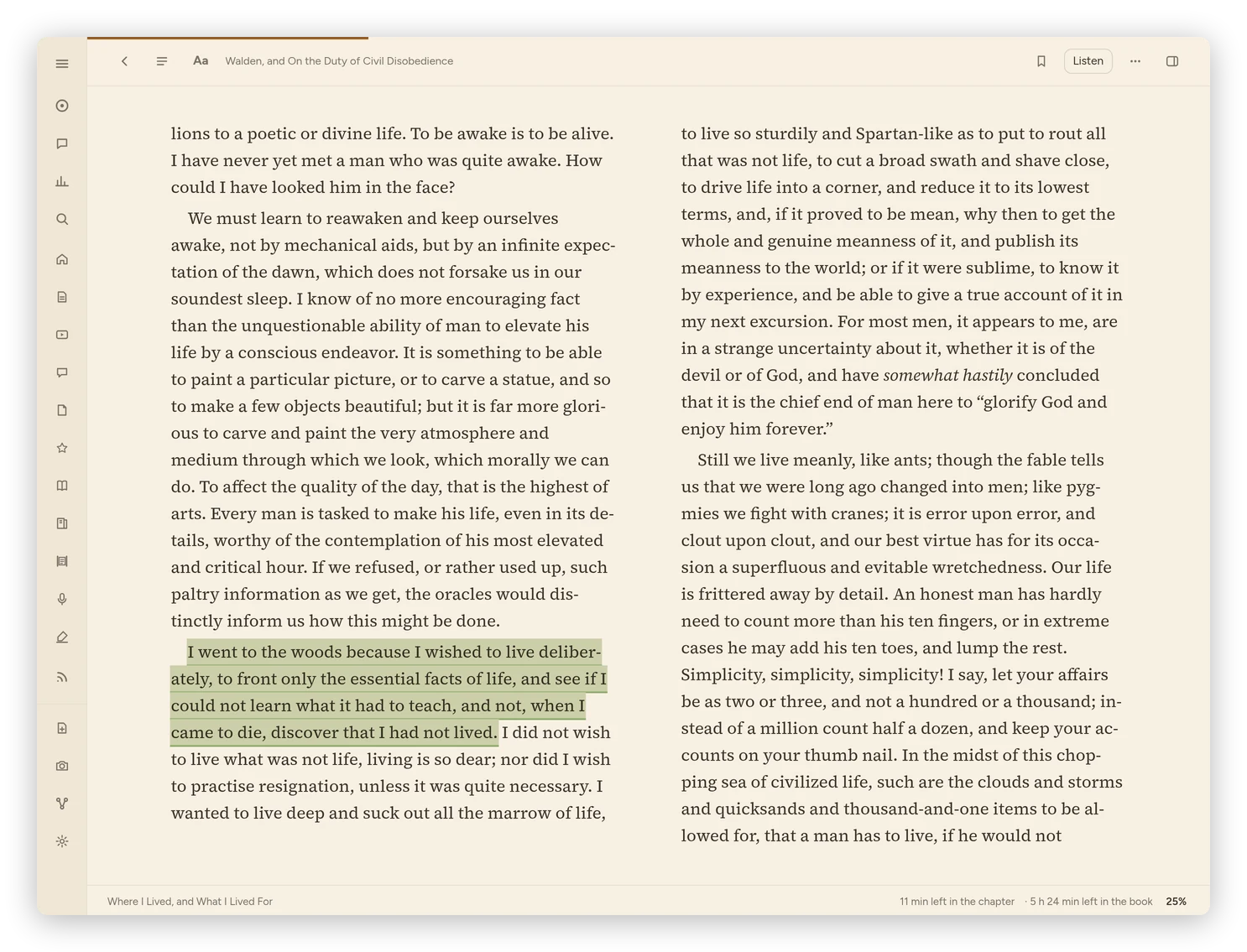 A book in Pages layout and the Paper theme, at tablet size.
The widget
The widget comes in two sizes from the same widget. The small one is a ring of today's minutes with the number in it and "Year 30 · day N" under it. The wide one adds the day's highlight in a serif face with its book, or "That's the hour." once you're done. It follows the phone's light or dark theme and its Material You colors.
Tap the ring for Today and the highlight for Review. It refreshes every half hour, when you unlock the phone, and when you leave the app, and if Daf can't be reached it keeps the last numbers, dimmed.
Save to Daf
"Save to Daf" is in every app's share sheet. A link, or text with a link in it, goes to the Library. A photo of a page you marked in pencil goes to Paper pages, and Daf opens on it while it reads the lines.
Long-press the app icon for Review, Continue reading (the first book on your nightstand), Log paper and Settings.
Reels need Daf to be signed in to Instagram (see Videos and podcasts). In the app, Preferences → Instagram → Sign in to Instagram opens Instagram's own sign-in page in a window of the app's. Once you're in, the app hands the sign-in to Daf and the window closes, and the app clears Instagram's cookies, so the sign-in is only in Daf. It needs the app's 0.5.5 or later.
Reading on the phone
- The volume keys can turn pages in a book: turn on Preferences → Reader → Volume buttons turn pages on this device, and then down is the next page and up the one before. While music or read-aloud is playing they change the volume as usual, and they always do when the switch is off. In the manga reader, Volume keys in its settings decides.
- Listening with the screen off: read-aloud keeps going behind the lock screen, with its controls on the lock screen, in the notification shade and on headphones.
- Downloads, like a highlight export or a book's file, go through the phone's save screen, and Share as image opens the share sheet.
- You feel a small tap for Keep and Less in the review and for the bottom tabs.
Books on the phone
Every book you open in the app stays on the phone, and so do the books you're reading: the nightstand and the last few you read anywhere. A book's … menu has Keep on this device for any other book you want with you. They open at once and with no signal, and what you do offline (your place, highlights, notes and bookmarks) goes to Daf when the network is back. A book you were only reading leaves the phone three weeks after you last opened it.
The app itself works with no signal too, even from a cold start: it keeps its own copy of Daf's screens and fonts, your lists and the articles you're reading, so it opens straight into Daf instead of an error page. An article's ⋯ menu has Keep on this device for one you want with you for good, pictures included (and for a PDF, its pages as printed), and its row in the list gets a small ring so you know it's there. Articles and lists nothing needs any more leave the phone by themselves after three weeks, so it doesn't fill up.
Settings → Books and manga on this device shows how much is on the phone and has Keep the books I'm reading here, Download them only on Wi-Fi, Update now and Remove them.
The evening nudge
The nudge is off until you turn it on in Settings → Evening nudge. Between 9 pm and 3 am, when Instagram, Reddit, X or Discord is in front, Daf may send one highlight and the minutes you have left. Daf decides, with simple rules: one every 25 minutes at most, and none once the hour is done. It doesn't block anything.
It needs Usage Access, to see which app is in front (Allow Usage Access), and permission to post notifications. Show one now sends one right away, whatever the rules say, so you can see what it looks like.
Notifications for new posts
If a feed is set to Notify me of new posts, the app checks every 15 minutes and shows a notification for each new post, which opens it in Daf.
Settings
The app's own Settings has Daf's address with Use, Connect this phone and Forget the token, Open Reading Goals, the books on the phone, and the evening nudge. Everything else is in Daf's Preferences, inside the app like in a browser.
If you install the app, put the wide widget on your first screen, which is exactly where it does its job.