The Feed and the Library
This page is about everything in Daf that isn't a book: the Feed, which passes by, and the Library, which is what you keep. The Feed is FreshRSS and the Library is Daf's own (it was Karakeep until October 2026), and Daf is the place you read both, so the reading counts and the highlights come back. It also covers adding things, finding them again with search, and sending articles to the Kindle.
The Feed
The Feed is my FreshRSS, read through its API, and it's where my RSS lives now instead of Read You. All feeds in the sidebar shows everything, and each folder under it shows one folder. Press the list's title, the one with the small arrow, for the Sources sheet with every feed, where Follow a site adds one and the … next to a feed renames it, moves it or unfollows it. The feed's editor also has Always load the full article, for feeds that only send a summary, and Notify me of new posts, which the Mac and Android apps turn into notifications.
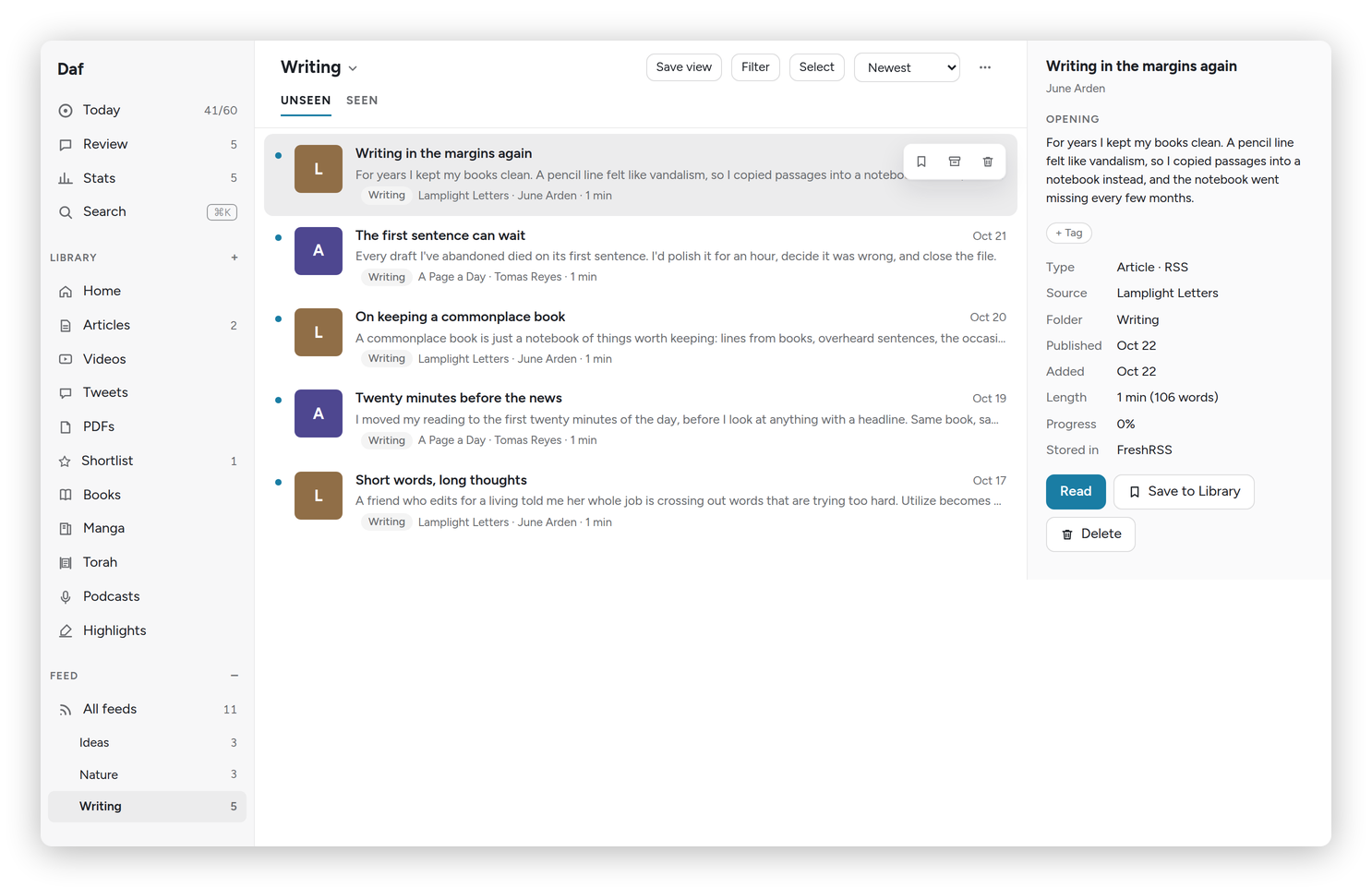 One folder of the Feed, with the info panel on the right.
Each list has two tabs, UNSEEN and SEEN. Opening an item in Daf marks it read in FreshRSS, and anything read somewhere else shows as seen here on the next sync. Anything still unseen after a month moves to Seen by itself, which means the Feed never becomes a pile. Preferences → Reader → The Feed lets go after changes that, from a week up to a year, or never: make it longer and the unread items FreshRSS still has come back on the next sync. FreshRSS keeps unread articles for good and read ones for three months. The list's … menu has Mark seen for everything, or everything older than a day, three days or a week.
The info panel shows the opening of the post and a Summarize button. Save to Library keeps an item for good, and so does highlighting it: the first highlight on a Feed item saves it to the Library on its own, the way Readwise does it.
The Library
The Library is what I save: Articles, Videos, Tweets and PDFs, plus Emails once you pick newsletters. Each list has INBOX, LATER and ARCHIVE. Shortlist (★, or f) is the few things I mean to read soon, and they stay there until I archive them.
Daf keeps the Library itself. When I save a link, Daf reads the page from my server: its text, its title, author and date, and its picture, which stays on the server so it outlives the site. A page that only shows itself to a real browser (a robot check, a page built by scripts) is read by a headless browser on the server instead. Saving a link I already have doesn't make a second copy: an archived one comes back to the top of the Inbox. Everything that was in Karakeep came across, notes, highlights and its lists (as tags) included. Karakeep itself is switched off now (October 19, 2026); its data is kept on the server, just in case.
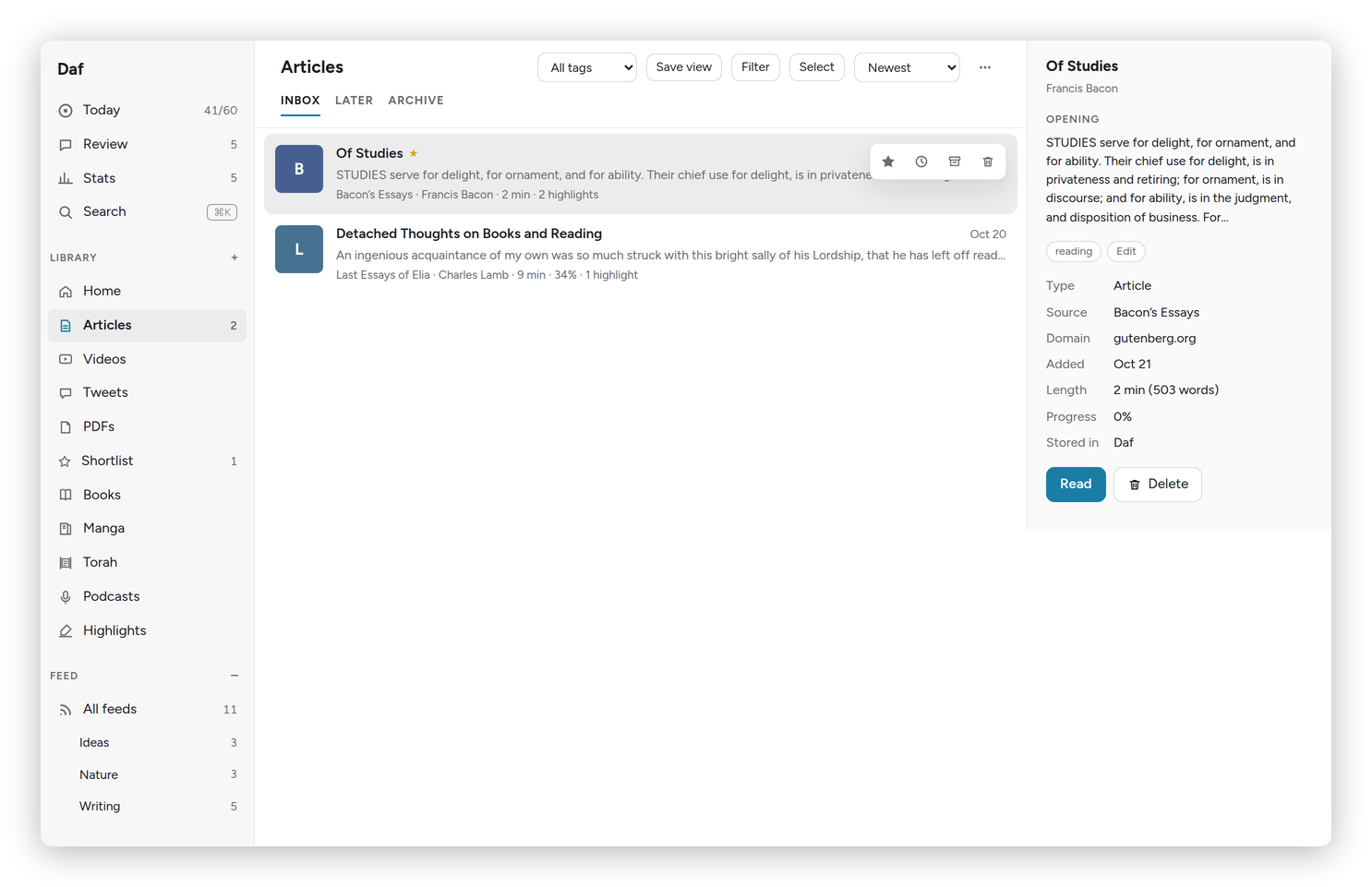 Articles, with the opening and the tags of the one picked in the info panel.
Library documents with text get a two- or three-sentence summary, which shows in the info panel and as the line under the title in the list. A new save gets two to four tags from the model, from the tags I already use when one fits (Preferences → AI → Tags for what you save, never on a private one). The All tags menu filters by one, and + Tag in the info panel adds your own. Preferences → Library tags lists them all with how many use each: rename one (a name already in use merges the two), remove one everywhere, or press Propose a tidy-up and the model suggests merges for the whole list; only the ones you tick happen.
Home at the top of the Library is a page of shelves: Continue reading, Recently added, Quick reads (ten minutes or less), Long reads (half an hour or more), Recently highlighted and New in the Feed. Configure hides the ones you don't want.
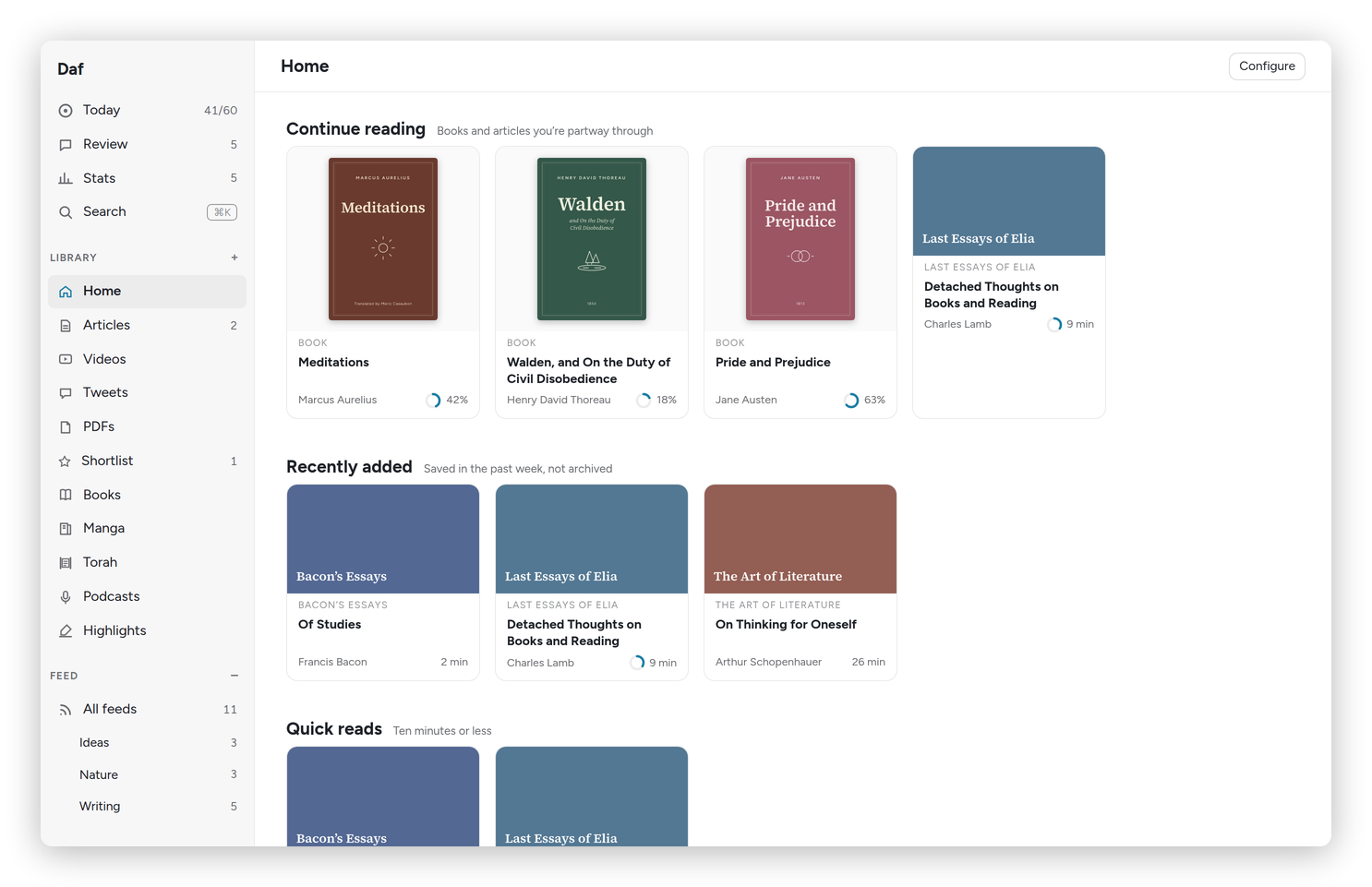 Home: what you're partway through, and what's new.
Working with lists
- Sort by newest, oldest, published, shortest, longest or started first.
- Filter narrows a list by source, author, length and date added, or to items With highlights or Not started. The active filters show as chips.
- Save view keeps the list with its tab, tag, filters and order in the sidebar, under Shortlist.
- Select picks several items at once. With a mouse, ⌘ or Ctrl-click picks one, Shift-click picks a range, and x picks the current row. The bar at the bottom then marks them seen, saves, archives, moves them to Later or Inbox, shortlists them, or sends them to the Kindle.
- In an article, Shift J and Shift K open the next and previous item of the list it came from, and Preferences → Reader → After Done or Later, open the next one makes Done do that too.
- Delete (d, the bin on a row, or Delete in an article's … menu) takes something out of Daf. Its highlights stay in Highlights and the vault. Done, Later, Shortlist and Delete on a document, and Done, Later and Delete on several picked with Select, give you an Undo for a few seconds, and z takes back the last one even after that, until you reload. A delete can be undone for ten minutes. After that it's gone from the lists, and saving the link again brings it back.
- t opens the tags of the row you're on, or of the article you're reading.
Adding things
The + at the top of the sidebar opens Add to Daf. Paste a link and press Save, and it goes into the Library, where Daf reads the page. The same dialog can follow the site in the Feed, in the folder you pick, with Follow.
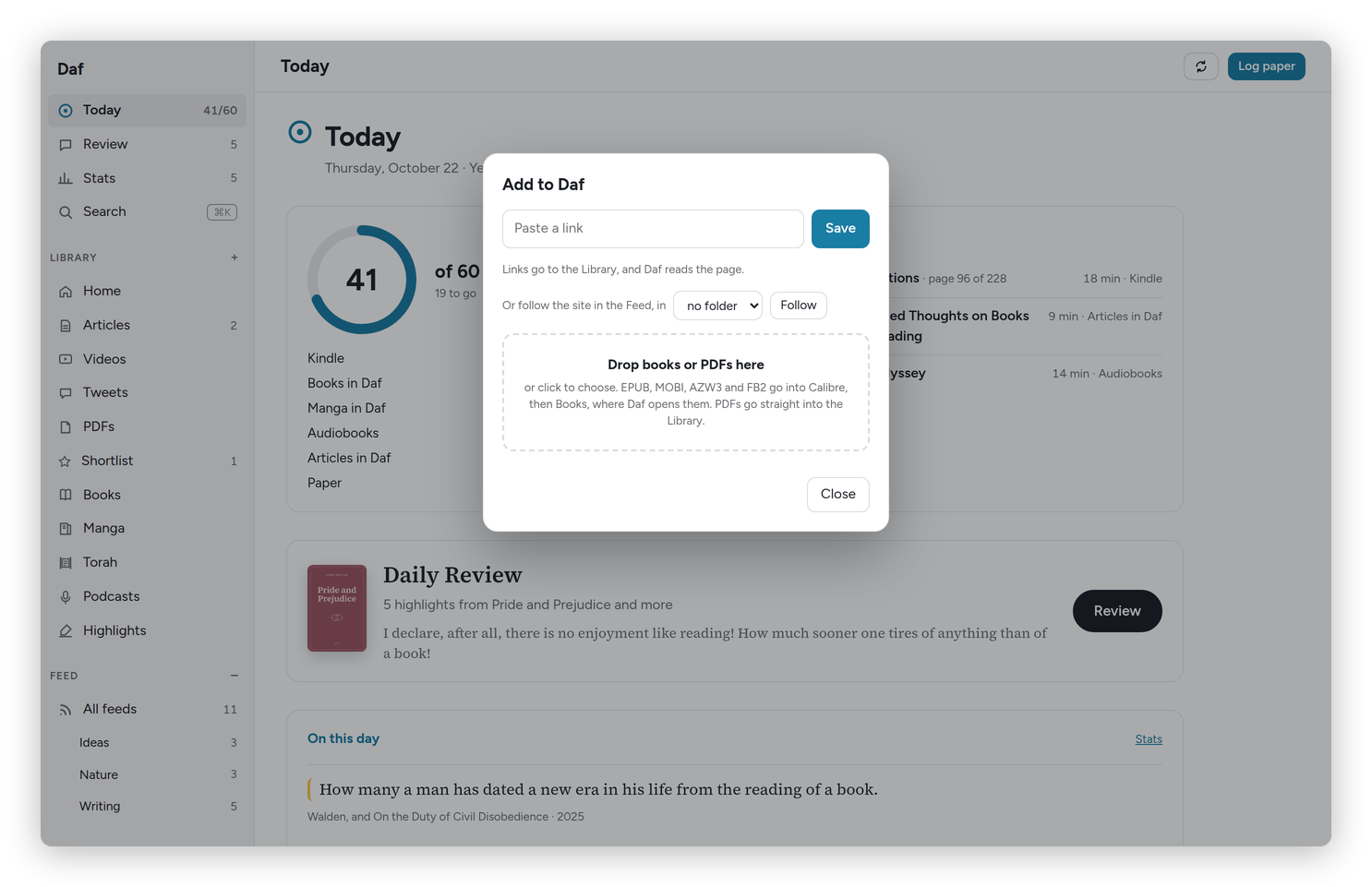 Add to Daf: a link, or a book or a PDF dropped on it.
Files work too, dropped on the dialog or anywhere on the page, several at once if you like: an EPUB, MOBI, AZW3, FB2 or CBZ goes to Calibre's import folder and shows up in Books, and a PDF goes into the Library, kept on my server. A link pasted anywhere outside a text field, or dragged in from another tab, is saved the same way. From the phone, "Save to Daf" in the share menu does it (see Sharing, messages and the widget).
Bringing a library over
Preferences → Import takes the export file from another app. Drop it there and Daf works out which app it came from and shows what's in it (how many links, how many you'd read, starred, tagged, with highlights) before anything happens. Bring it in then saves them to the Library in the background, a few a second, keeping when you saved each one, whether you'd read it (into the Archive, if you tick that), the stars (the Shortlist) and the tags. Highlights come along where the app exports them, and so does a link's own note (Raindrop's, or a "note" column in a CSV), and they land in the review and the vault like any other. Links already in Daf are left as they are, so running the same file twice does no harm.
What it reads:
- Instapaper: Settings → Export, the CSV. Instapaper's export has no highlights.
- Readwise Reader: Preferences → Export → Export library. My Readwise highlights are already in Daf from the vault.
- Raindrop.io, GoodLinks and Wallabag: their own exports, highlights and all. Wallabag's has the articles' text too.
- Pocket and Omnivore, which have both closed: the export they gave you before they did. Omnivore's has the articles' text, which matters for pages that are gone.
- Bookmarks from any browser or Pinboard, as an HTML file. Folders become tags.
- Feeds from Feedly, Inoreader, NetNewsWire or anything else, as OPML. They go into FreshRSS, in their folders.
- Anything else, as a CSV or JSON with a column of links.
The morning email
Preferences → Morning email sends me, at the hour I pick, what I saved to the Library in the last day, each with its two- or three-line summary, plus how many new posts wait in the Feed and how much I read yesterday. It comes from daf@tiresia.xyz (an address on my Proton account's own domain), and only on a day something came in. See it shows what it would say right now, and Send one now sends one.
Newsletters
Preferences → Newsletters lists the senders in my mailbox that send mail with an unsubscribe link, likely newsletters first. Tick the ones you want, press Save, and their emails from the last 30 days come into the Library under Emails, cleaned of the newsletter clutter, every 15 minutes. Daf reads the mailbox through Proton Mail Bridge, read-only, so nothing in the mail changes.
Search
⌘K (or the Search button) searches titles, the full text of everything saved, books, highlights and the notes in my vault, which open in Obsidian. Typing a place, like "Highlights" or "Preferences", goes there.
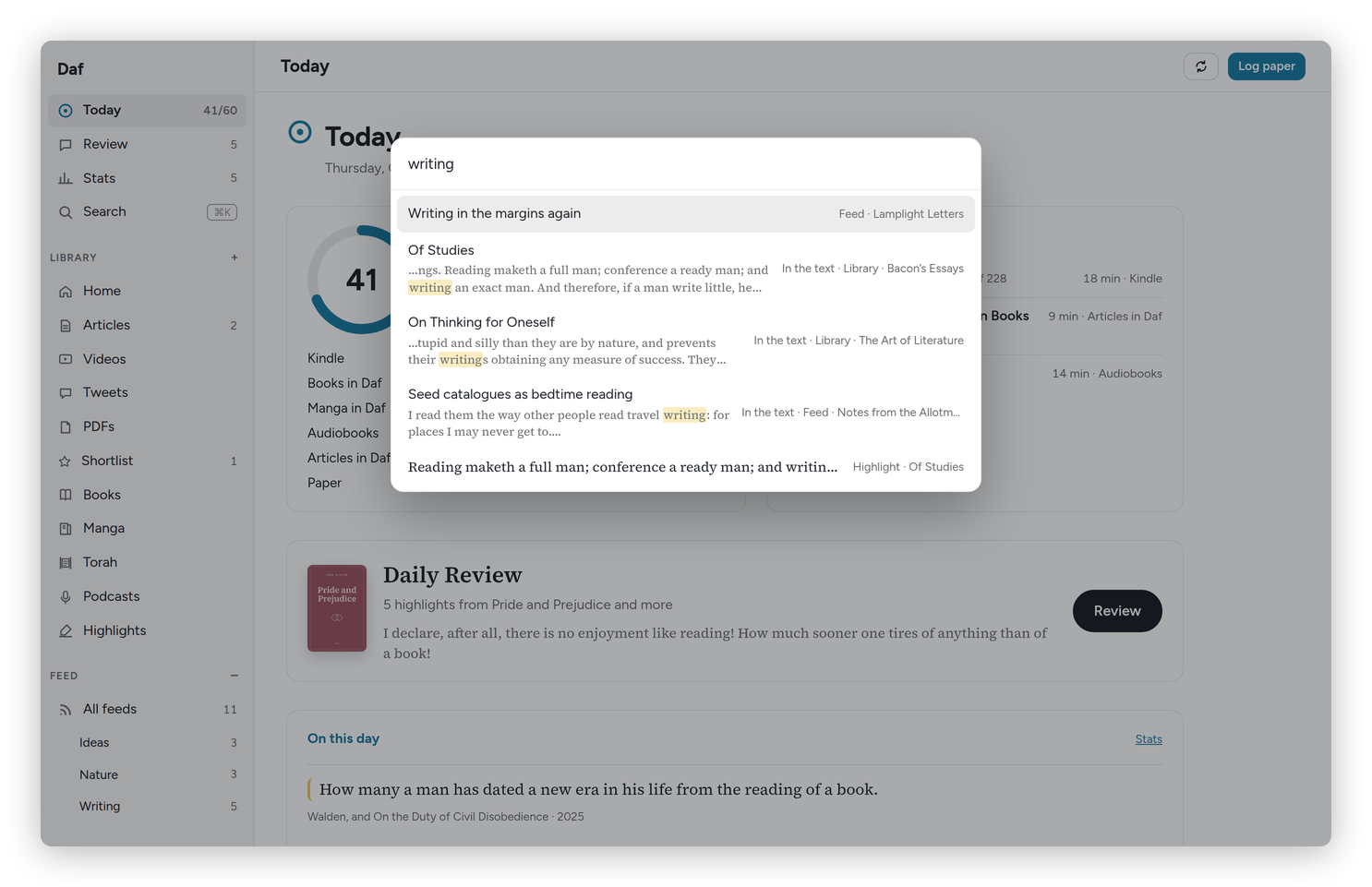 Search results for "writing": titles first, then matches in the text.
Send to Kindle
Send to the Kindle in an article's … menu, or in the bar after Select, turns the articles into one EPUB, a digest when there are several, with the images, right to left for Hebrew. It lands in a folder that Syncthing copies to the Kindle, so it's there the next time the Kindle is online.
When I read it on the Kindle, the page turns count as reading those articles, and the highlights come back to each article, with any note I typed, into the review and the article's note in the vault. Deleting the file on the Kindle keeps the highlights.