A day with Daf
This page walks through one ordinary day with Daf, from the first highlight in the morning to the last page at night, so you can see how the pieces fit together before you read about each one.
In the morning
The day starts with the morning highlight: one passage from the day's review, with its book and a link to the rest, sent to the phone on Signal by a cron job on the server. Most mornings that's all it takes, and that's the point, because it's something you once thought was worth keeping and had probably forgotten. When it sparks something, reply "n:" and a thought, and the note goes under that highlight in the vault.
Later, Review has the other four. Keep the ones that still matter, and they come back in a few days, then less and less often. Less sends one far away, and Never takes it out of the review for good. It takes about two minutes, which means even on a busy day there's one piece of reading you're sure to do.
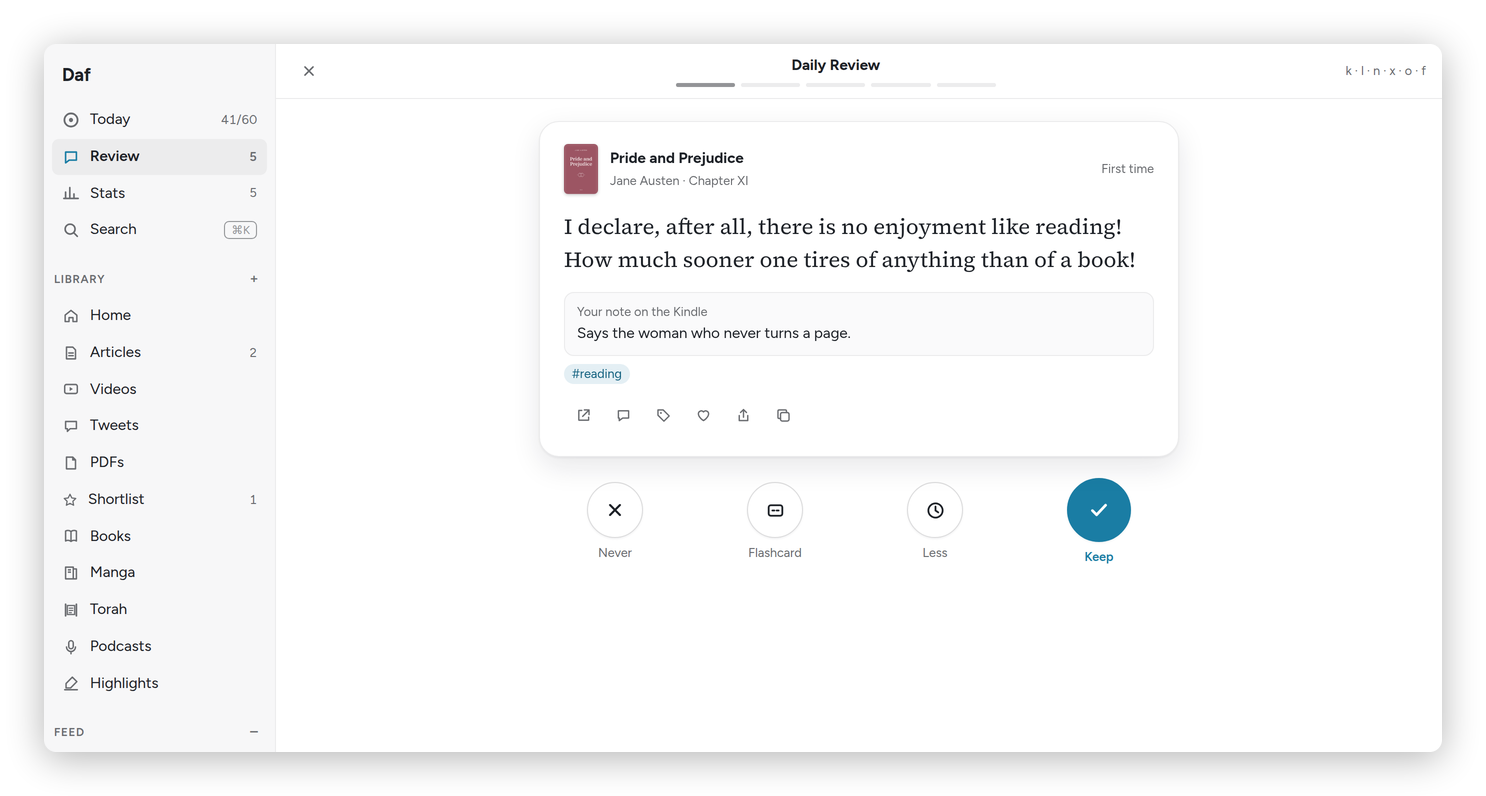 The review, one highlight at a time.
During the day
On a Mac, the menu bar shows today's minutes all day: "38′" until the hour is done, then "60′ ✓". It's a small thing, but having the number in sight does a lot of the work.
An article worth reading doesn't have to be read right then. Select a line and press Highlight in the browser extension, which saves the page to the Library with the highlight already on it, or use "Save to Daf" from the share menu, and it waits in the Library's Inbox. The next morning, the morning email lists what you saved, each with a two- or three-line summary.
The Feed is where the RSS lives. Read it a folder at a time, and anything you don't get to moves to Seen after a month, so the Feed never turns into a pile to feel guilty about. When a post deserves more than a skim, highlight it, and it saves itself to the Library.
In the evening
Evenings are good for books. On a Kindle with KOReader, the Daf plugin sends the page turns whenever the Kindle sleeps, so by the time you look at Today the minutes are already there. The sleep screen says where you are without opening anything: how many of the day's minutes you've read, and which day of Year 30 it is.
At a computer instead, the same book opens in Daf. If the Kindle is further along, Daf asks whether to go there, and back on the Kindle it asks the same about Daf, so you never hunt for your place. A voice note to the Signal bot while you're reading goes under the book you're on, at the page you're on.
On the phone, the widget sits on the first screen, right where the apps that eat an evening usually are. With the evening nudge on, opening one of those apps late anyway can bring one highlight and the minutes you have left. It doesn't block anything, it just reminds you what you said you wanted.
Shabbat
Daf has a few things for Shabbat. On Friday, Today says Shabbat is coming and that the week's parasha is on the Torah shelf, Hebrew beside the English, along with the essays in the vault for that week.
Shabbat is a good time for paper books, with a pencil for the lines worth keeping. Afterwards, text the bot "shabbat 60", and the hour goes on Saturday, where it belongs. Then photograph the pages you marked and send them too, and Daf reads the lines and turns the marked ones into highlights in that book.
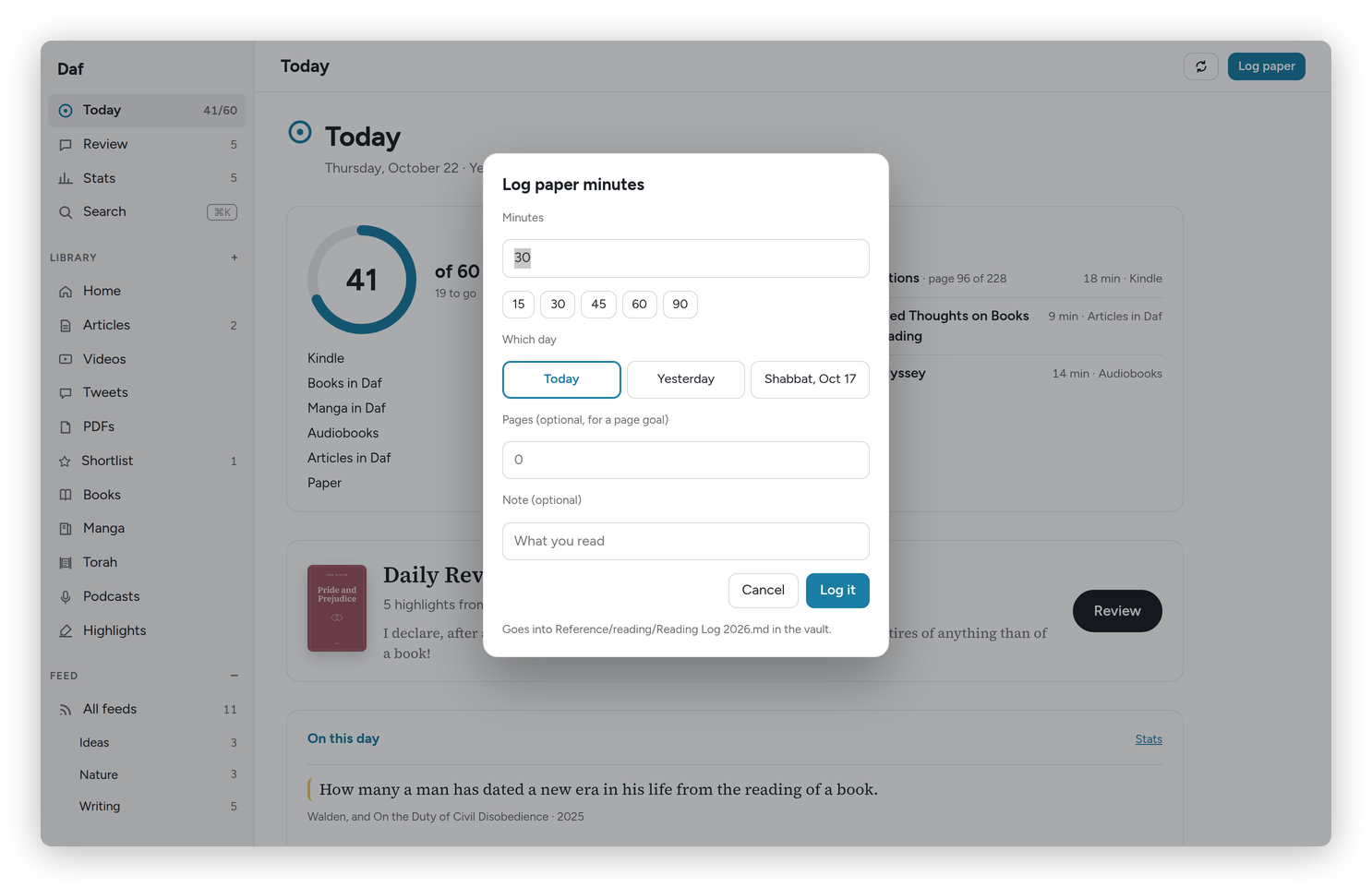 The same thing from the web: Log paper, the minutes, and which day.
What to look at, and what not to
Today and the review are the everyday pages. Stats is for now and then, mostly the streak and "Waiting for you", which lists the books you started and left, because one sitting is often all it takes to get one moving again.
Settings don't need much fiddling. The goal is an hour a day, and the Year 30 preset in Preferences does the rest. Preferences is in groups (Reading, Look, Connections, AI, Library, Help and Account), and the list of them sits beside the cards, or across the top on a phone or a tablet, so you can go straight to one. Some books can be kept private: they count toward the hour, but their titles never show up in the review, the morning message, the widget or on the Kindle.
Basically, Daf isn't another app to remember to open. It sits in the places you already are, the Kindle, the phone, the menu bar and Signal, and it keeps the hour in front of you. If you're setting it up for yourself, start with Install, and feel free to ask me anything that isn't clear.