Sending it
This page is about the link: making it, what's inside it, how long it gets, and what happens to a mix once it's sent. It's also about the mixes other people send you, and about keeping all of them safe in a file.
Make a link
Make a link is the orange button at the top of the editor and of the player. It opens a sheet called "Your link" with the link itself, how many characters long it is, and two or three buttons:
- Copy link puts it on the clipboard, ready to paste into a message or an email.
- Share opens your phone's or tablet's share sheet, where the browser has one.
- Open it opens the link in a new tab, so you can see exactly what they'll see.
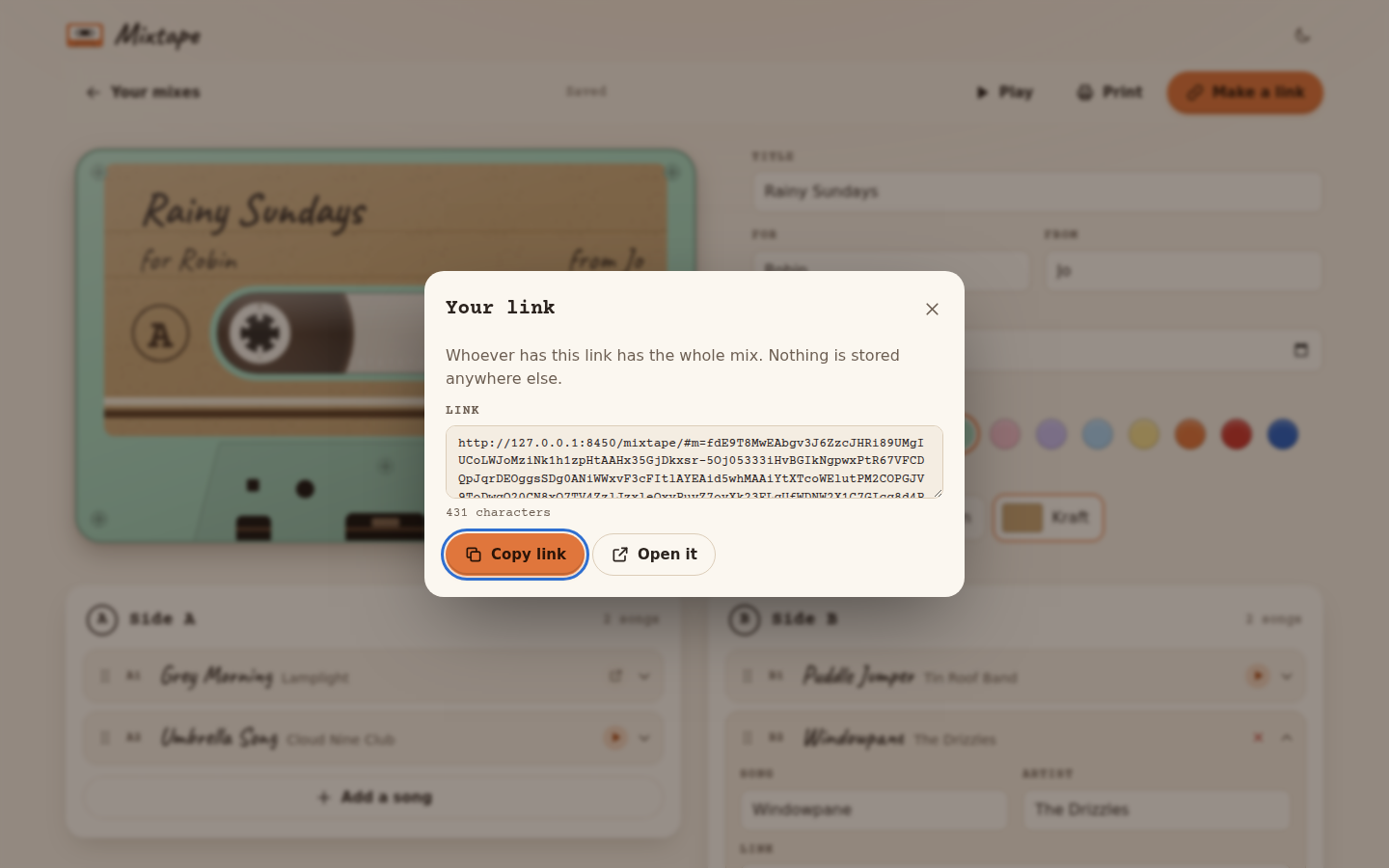 The link for a short mix with four songs and a small letter.
What's inside a link
Everything that makes the mix: the label (title, for, from and the date), the shell and the paper, every song on both sides with its title, artist, link and note, and the letter. It's packed down and written into the part of the link after the "#", which is the part a browser keeps to itself, so it never gets sent to the page's server when someone opens it. There's no account behind it and nothing stored anywhere, which means the link IS the mix.
A couple of things get tidied on the way in. YouTube links are shortened to the youtu.be form, and the tracking bits that apps add to links when you share them (like "si=" on Spotify and YouTube links) are dropped, which keeps the link shorter and doesn't pass that along.
Since the mix lives in the link, a link you've already sent doesn't change when you edit the mix. If you fix a typo or add a song afterwards, press Make a link again and send the new one.
How long a link gets
The songs and notes take very little room. A mix with ten songs and a short letter usually comes out at a thousand or two characters, and most of a long link is the letter. When a link goes over about 8,000 characters, the sheet says so: most apps take a link that long without any trouble, but a few cut long links short, and a link that's been cut short can't be opened.
If someone tells you the mix didn't open, they'll have seen "This tape got tangled". Try sending it a different way (an email instead of a text, for example), or make the letter a little shorter and make a new link.
Mixes you got
When you open a link someone sent you, Mixtape keeps it on your start page under "Mixes you got", with the cassette the way they made it. Play opens it again, and the bin takes it off the list, with Undo for a few seconds. What's kept is the link itself, in your browser, so it's the same mix they sent. If you open a link to one of your own mixes, it doesn't get added there, because it's already under "Your mixes".
A mix you got can't be edited, since it's theirs, but Make your own copies its songs into a new mix of your own. Listening has more about that.
Export and Import
At the bottom of the start page, Export saves all your mixes, and the ones you got, as one file called
something like mixtape-2026-10-20.json. Keep it somewhere safe, or take it to another browser or device and use
Import there. Importing adds the mixes from the file to the ones you already have. A mix that's on both sides
only changes if the copy in the file is newer, so importing the same file twice doesn't make doubles.
It's worth exporting now and then if you've put real effort into your mixes, because they only live in this browser, and clearing the site's data or switching browsers leaves them behind.
Next step
Send the link, or open it yourself with Open it to see what they'll see. Listening is about that.