Listening
This page is about what the person who gets your link sees, and about the player, which is the same thing you see when you press Play on one of your own mixes. If someone sent you a mix, this is the page for you.
When the link arrives
Opening the link starts with the cassette sliding in, and "for" and their name being written on the label. Under it it says who it's for and who it's from, how many songs there are and whether there's a letter, and there's one button, Open it. That opens the case: the player comes up, and the J-card and the letter unfold next to it.
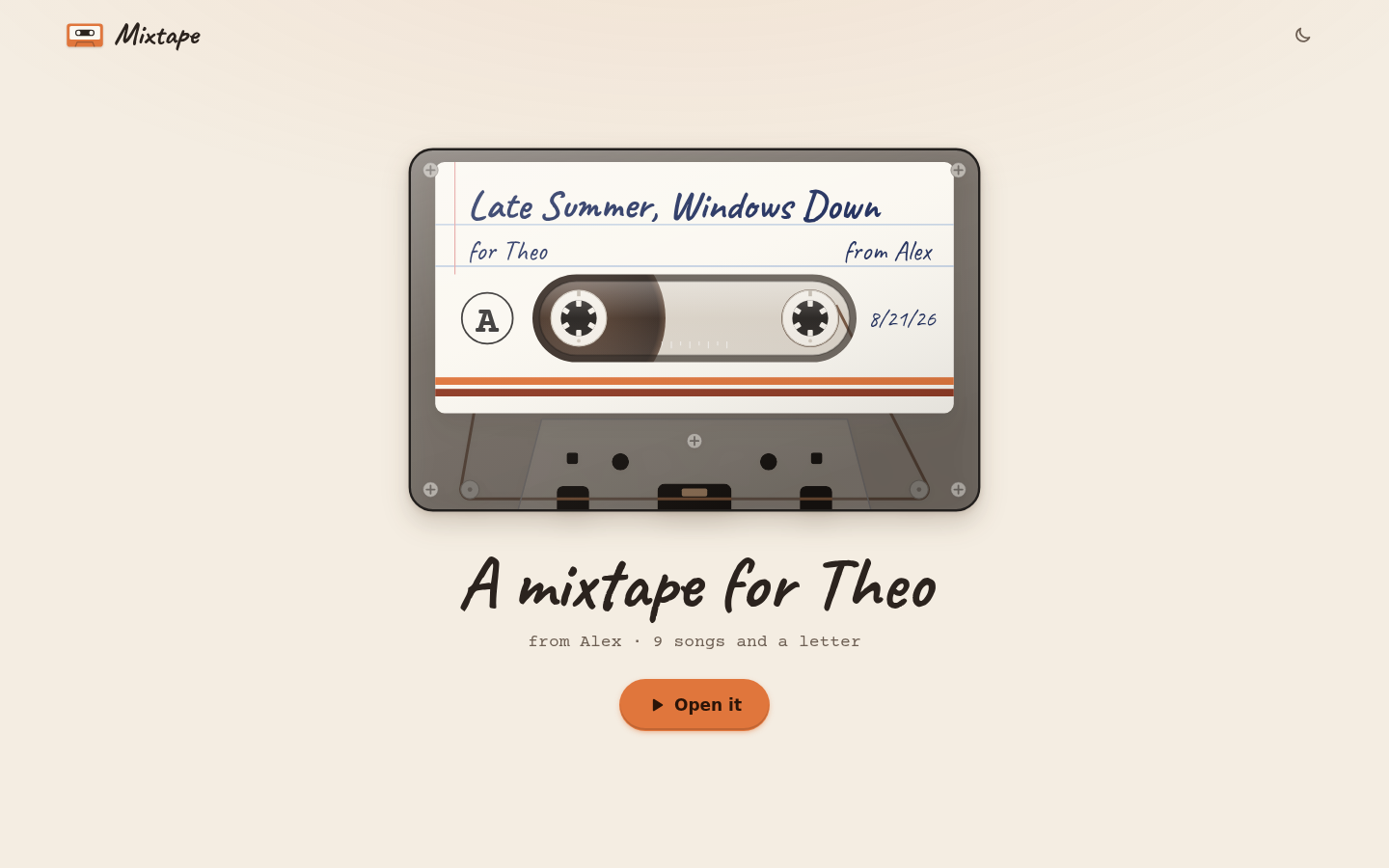 The arrival. Reloading the page, or opening the mix again from "Mixes you got", goes straight to the player.
The deck
The cassette sits at the top, and under it are the keys of the deck: Back, Play, Next and Flip to B, and a little tape counter. The counter counts the turns of the right reel the way a real deck did, so it doesn't match the minutes, but it's nice to watch. Under the keys is the song that's on, with its place on the tape (A1, A2 and so on), its title and artist, the time, and your note in handwriting.
Back goes to the song before, or back to the start of the song if it's been playing for a few seconds. Next goes to the next one. You can also tap any song on the J-card to play it. With a keyboard, the space bar plays and pauses, and the left and right arrow keys are Back and Next.
YouTube songs
Songs with a YouTube link play right there. The first time you press Play, the page takes a moment to load YouTube's player, and the video shows in the box under the note (YouTube asks for its player to stay visible). From then on the cassette follows the song: the reels turn while it plays and stop when it's paused, and the tape moves from the left reel to the right one as the side goes on. If you pause or skip ahead inside the video itself, the reels and the tape follow that too. When a song ends, the next one starts by itself.
How far the tape has moved depends on how long the songs are, and the page only learns a song's length once it's played. Until then it guesses, so the first time through a side the tape can be a little ahead or behind, and the second time it's right.
A few videos can't play anywhere but on YouTube itself, because the owner turned that off, which happens with some music videos. Mixtape says so, gives you Open on YouTube, and if the side was playing it moves on to the next song after a few seconds. If YouTube can't be reached at all, it says "Couldn't reach YouTube", and pressing Play again tries once more.
Songs from other places
A song from Spotify, Apple Music, Bandcamp, SoundCloud or anywhere else can't play inside the page, so the tape stops there and waits. The big key turns into Open, and there's also a button like Open on Bandcamp under the note. Either one opens the song in a new tab. When you come back, press Next to carry on with the tape.
A song with no link at all still has its place on the J-card and its note, and the big key says Next.
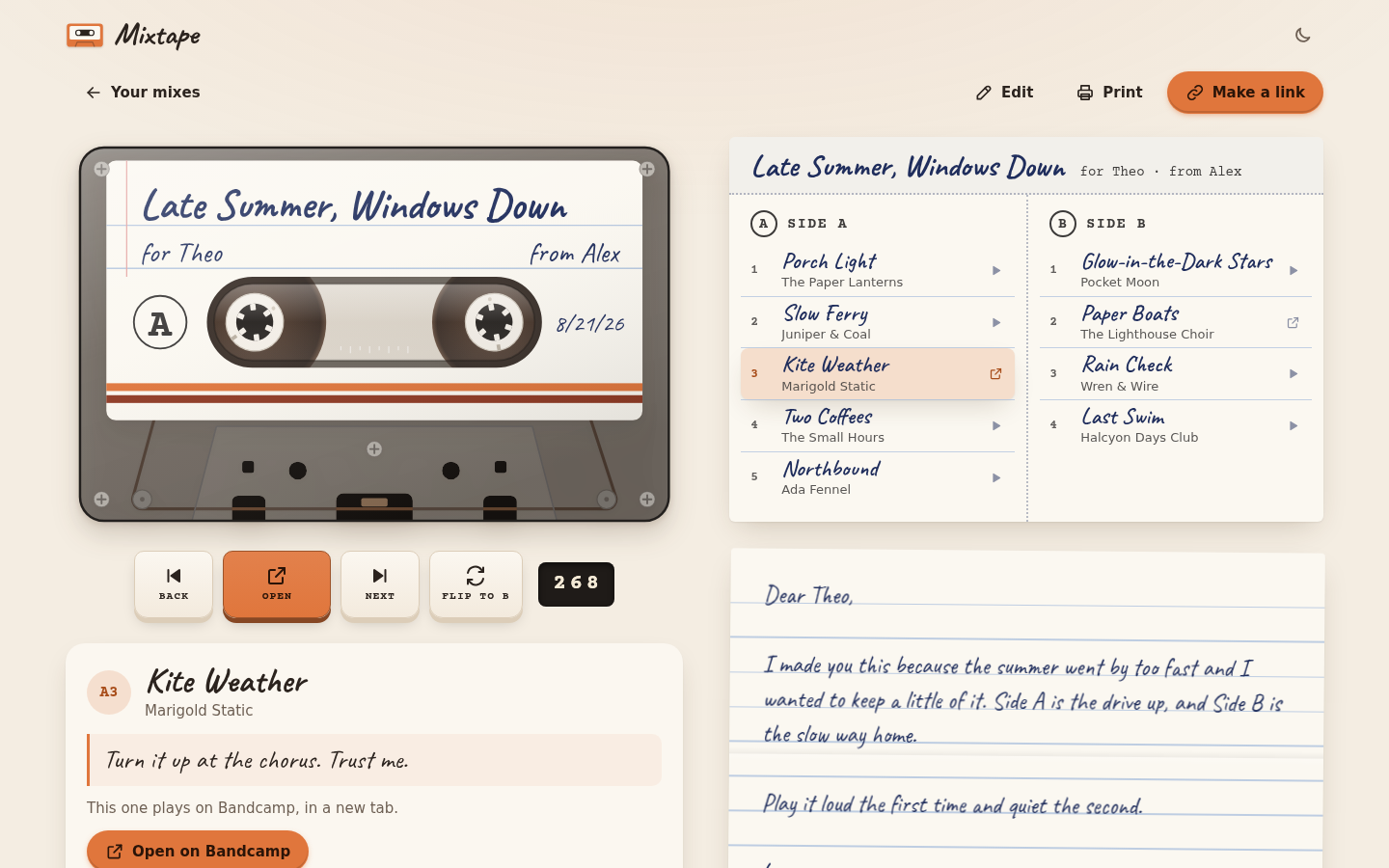 A Bandcamp song waits for you with an Open button.
Flipping the tape
Like a real tape, Side A stops at the end. All the tape is on the right reel, the page says "That's the end of Side A. Flip it over for Side B.", and the big key says Flip to B. Press it and the cassette turns over to Side B and carries on.
You can flip whenever you like with Flip to B (or Flip to A on Side B). Since the tape stays where it was, the other side starts by winding back to its beginning, the way it would in a real deck. Tapping a song from the other side on the J-card turns the tape over too. At the end of Side B the page says "That's the whole tape.", and the big key says Rewind.
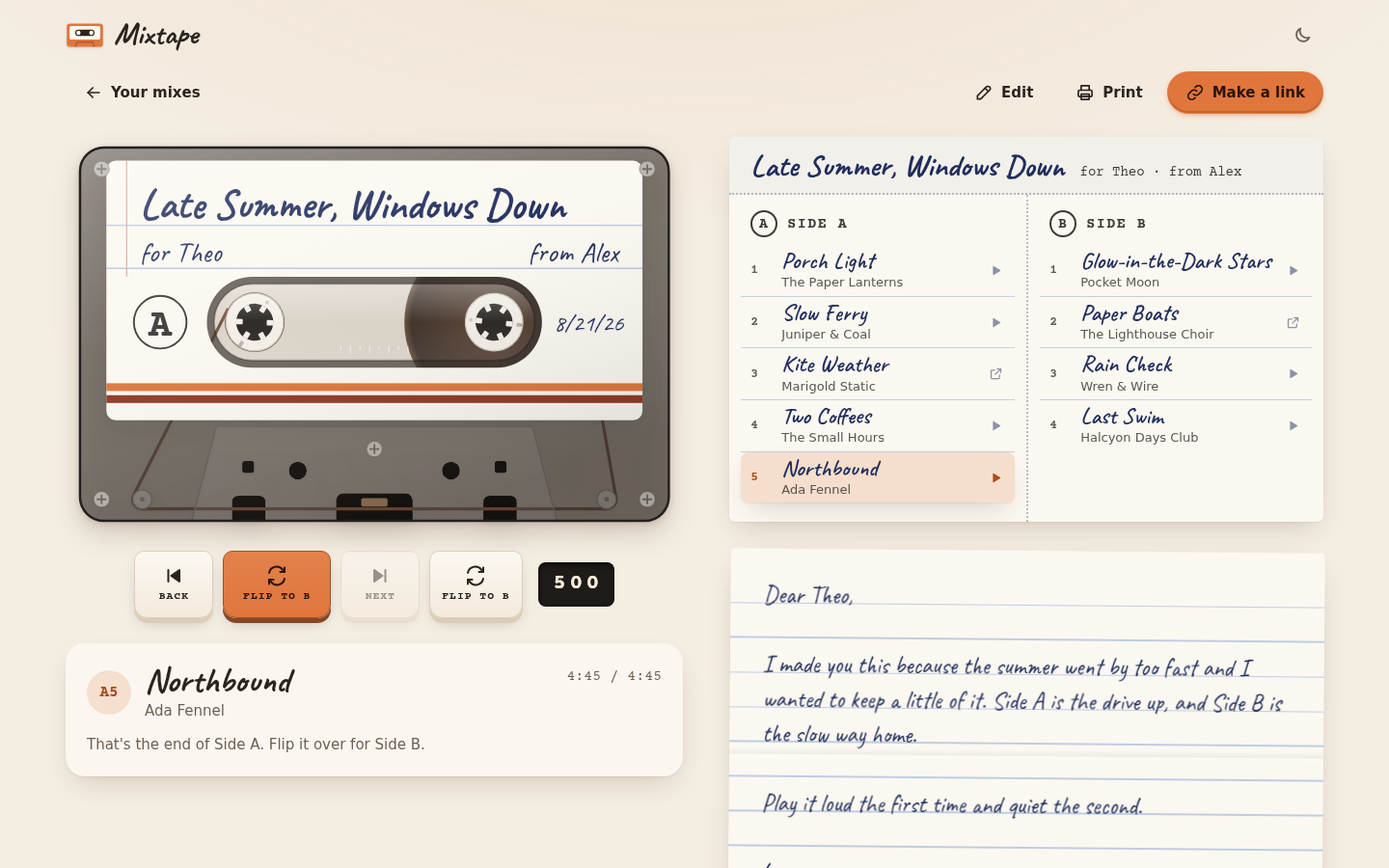 The end of Side A.
The J-card and the letter
Next to the deck (or under it, on a phone) is the open case: the J-card with the title on the spine and both sides' songs, and the letter under it. The song that's on is marked on the J-card, and a small sign next to each song says whether it plays here or opens somewhere else.
Make your own
When someone sent you the mix, the button at the top is Make your own instead of Make a link. It copies the songs into a new mix of your own and opens it in the editor, with the names turned around (so it's from you, for them) and today's date. The letter isn't copied, because it was written to you. From there you can change anything, swap songs, write your own notes and send one back.
Next step
If you'd like the mix on a real cassette case, or just on paper, Printing the J-card is next.