Printing the J-card
A J-card is the folded paper insert in a cassette case, with the title on the front, the title again on the spine so you can find the tape on a shelf, and the track list inside. Mixtape lays one out at real size for any mix, with the letter under it, so you can print it, cut it out and put it in a real case, or just give it to someone on paper.
The print view
Print is at the top of the editor and of the player, and it works the same for a mix someone sent you. It opens the print view, which shows the J-card a little bigger than real on the screen, so you can read it. From the top, it has four panels:
- The fold-out, with Side A and Side B side by side, each song with its artist.
- The front, with the title, who it's for and who it's from, a picture of the cassette in the shell and paper you picked, the date and two stripes along the bottom.
- The spine, with the title, and who it's for and from.
- The back flap, with how many songs are on each side and the date.
The letter comes under it, on its own card of the same width.
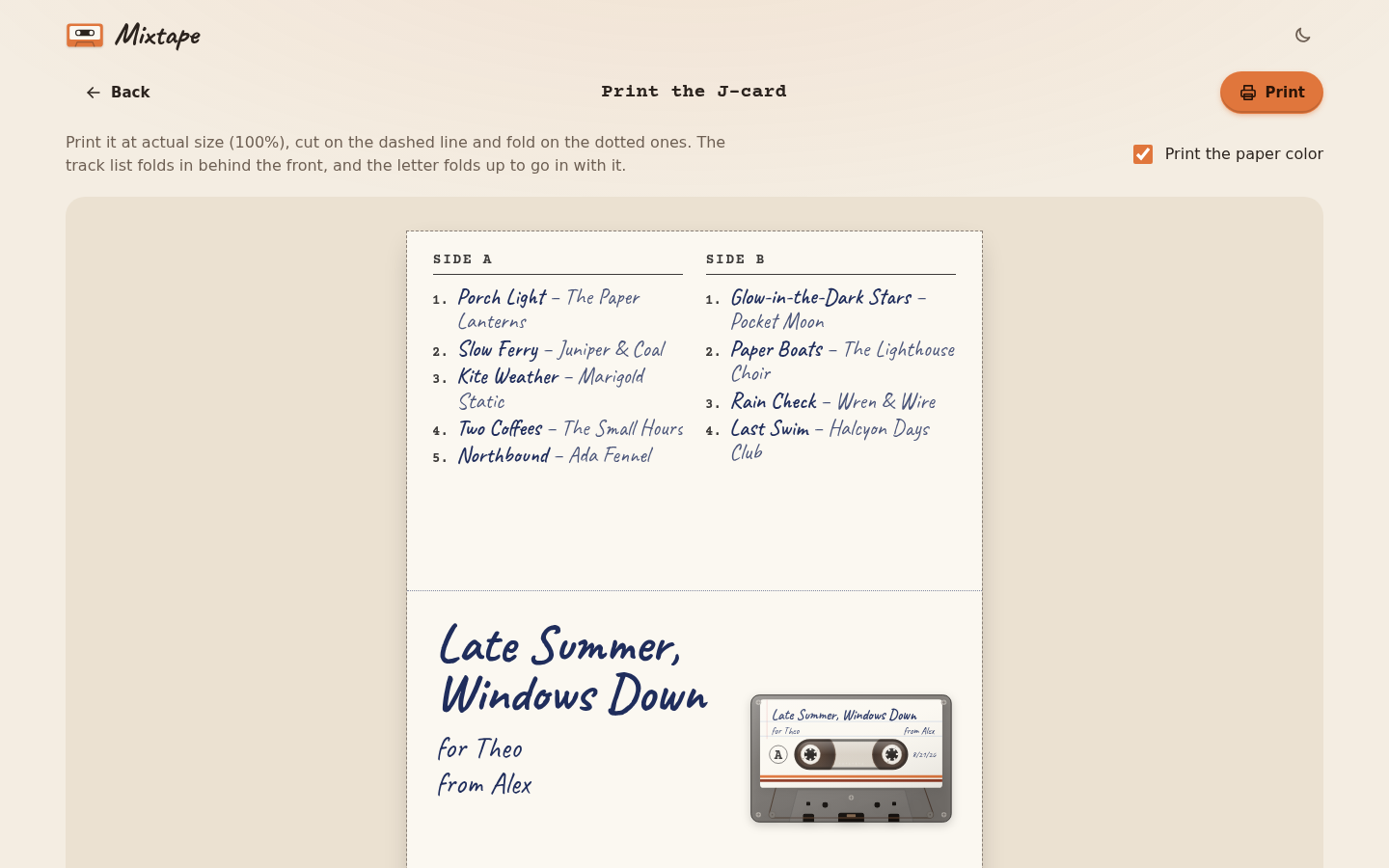 The print view. The track lists are at the top, the front is under them.
Printing it
Press Print and print it at actual size, which is 100% in the print settings (not "Fit to page"), on Letter or A4. Regular printer paper works, and a slightly heavier paper or card makes it stand up better in the case. Printed at actual size, the J-card is 4 inches wide (101.6 mm), with a 2.5 inch front, a half inch spine and a 5/8 inch back flap, which is the size of a standard cassette case.
Print the paper color prints the label paper too, the lines on lined paper or the brown of kraft. Uncheck it to print on plain white, which saves ink and is the way to go if you're printing on real kraft or colored paper. If the colors don't come out at all, look for "Background graphics" in your browser's print settings and turn it on.
When a side has a lot of songs, the writing on the fold-out gets smaller until they all fit, and with a really long list each song goes on one line. It fits up to 30 songs a side, which is as many as a side can hold.
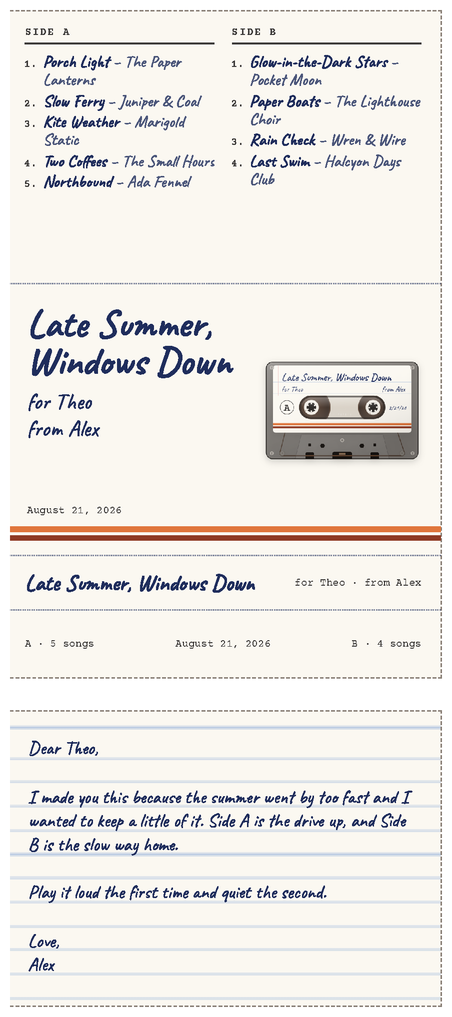 How it comes out of the printer, with the letter under it.
Cutting and folding
- Cut along the dashed line around the J-card, and around the letter.
- Fold on the dotted line between the front and the spine, and again between the spine and the back flap, both towards the back, so the card makes the shape of a J.
- Fold the fold-out back behind the front, on the dotted line between them.
- Open the case and slide the card in with the front facing out through the lid, the spine along the hinge side and the back flap tucked behind where the cassette sits.
- Fold the letter to fit and tuck it in with the card, or behind the cassette.
The track list is now inside the case, behind the front, and the person can unfold it to read the songs, the same way the old ones worked.
Next step
That's everything Mixtape does. If you want to change it or run your own copy, Developing has the map of the files and the test walk.