What is Prompter?
Prompter is a teleprompter for the Mac. Your script hangs from the top of the screen in a black strip that grows down out of the notch, so the line you're reading is a couple of centimetres from the camera, and when you look at it, you're looking at the person on the other end. It scrolls by listening. In Follow mode it hears the words of your script as you say them, moves on line by line, and waits when you stop. And it's left out of screen shares, recordings and screenshots, so the people on the call see your slides and not your notes.
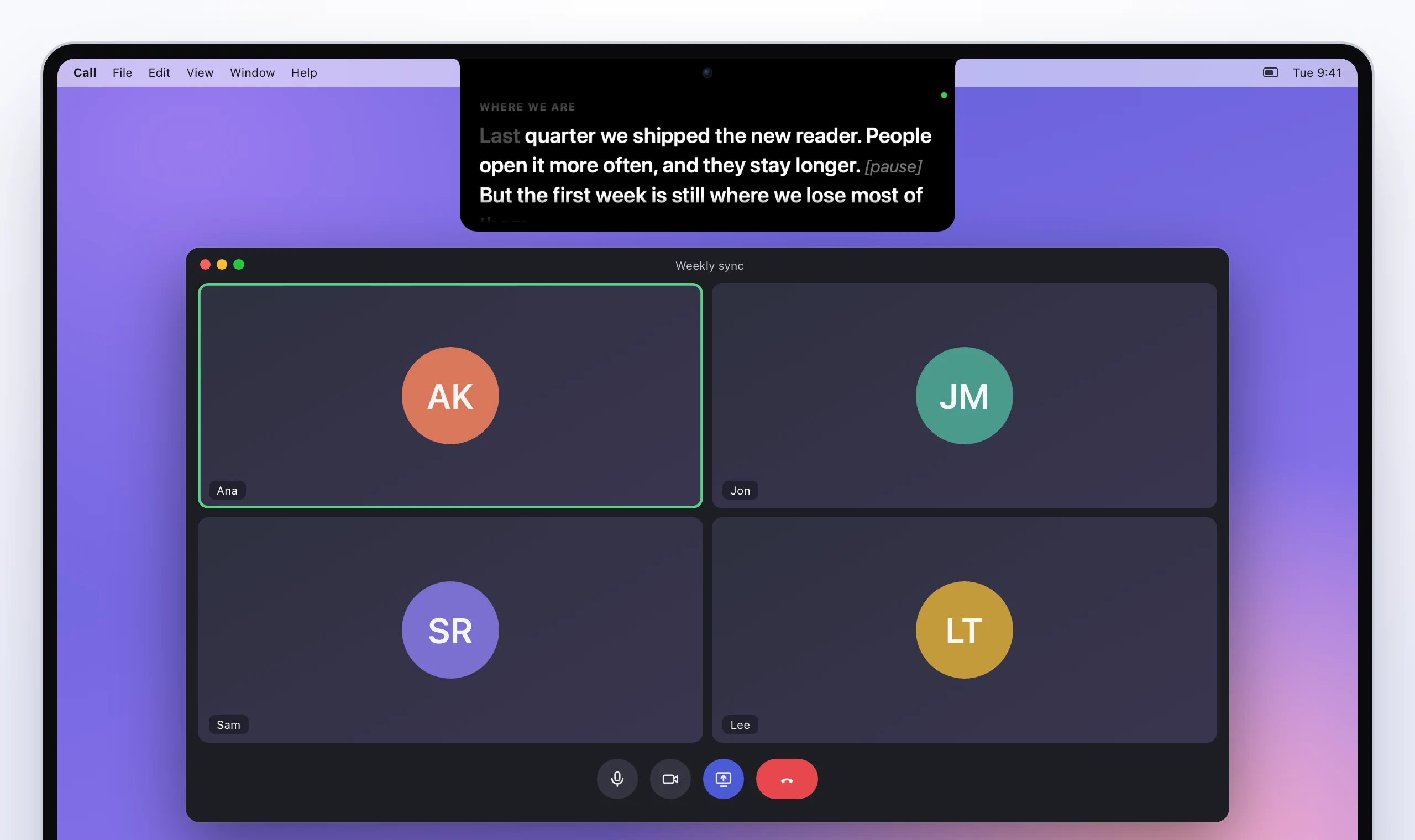
Where you'll find it
Prompter has three parts:
- The prompter is the black strip at the top of the screen, or a floating card if you'd rather. It shows one script at a time. The prompter covers it.
- The scripts window is where you write and keep your scripts. Each one shows how many words it has and how long it takes to say. Writing a script covers it.
- The menu bar icon (a quote mark, at the top right) has everything you need mid-call: show and hide, play and pause, jump to a cue, switch scripts. Shortcuts and the menu bar covers it, along with the shortcuts that work from any app.
How it scrolls
| Mode | What moves it | Good for |
|---|---|---|
| Follow | the script's words, as it hears you say them | reading a script word for word |
| Voice | your voice: it scrolls at a set speed while you talk and stops when you stop | talking from notes |
| Steady | nothing but the clock: a set speed until you pause it | rehearsing, or a noisy room |
Follow is where it starts. Follow, Voice and Steady explains all three.
What it needs
- A Mac with macOS 15 or later, Apple silicon or Intel. The notch is nice but not needed. On a screen without one (an iMac, or an external display), it hangs from the top centre the same way.
- The microphone, for Follow and Voice, and speech recognition, for Follow. macOS asks the first time.
- Nothing else. There's no account and no server, and your scripts are plain text files on your Mac.
What stays on your Mac
Everything, as far as Prompter is concerned. The scripts are files in your Library folder, and the speech recognition runs on the Mac whenever the language allows it, which it does for English and a good number of other languages. What it hears has the details.