What is Dvarim?
Dvarim is a to-do app that keeps every to-do in a Markdown file. The name is Hebrew (דברים): "words", and also the matters on your plate. You get the Inbox, Today, This Evening, Upcoming, Anytime, Someday and the Logbook, with areas, projects, headings, checklists, tags, repeats and reminders, and underneath it there's no database at all, only a folder of plain text files.
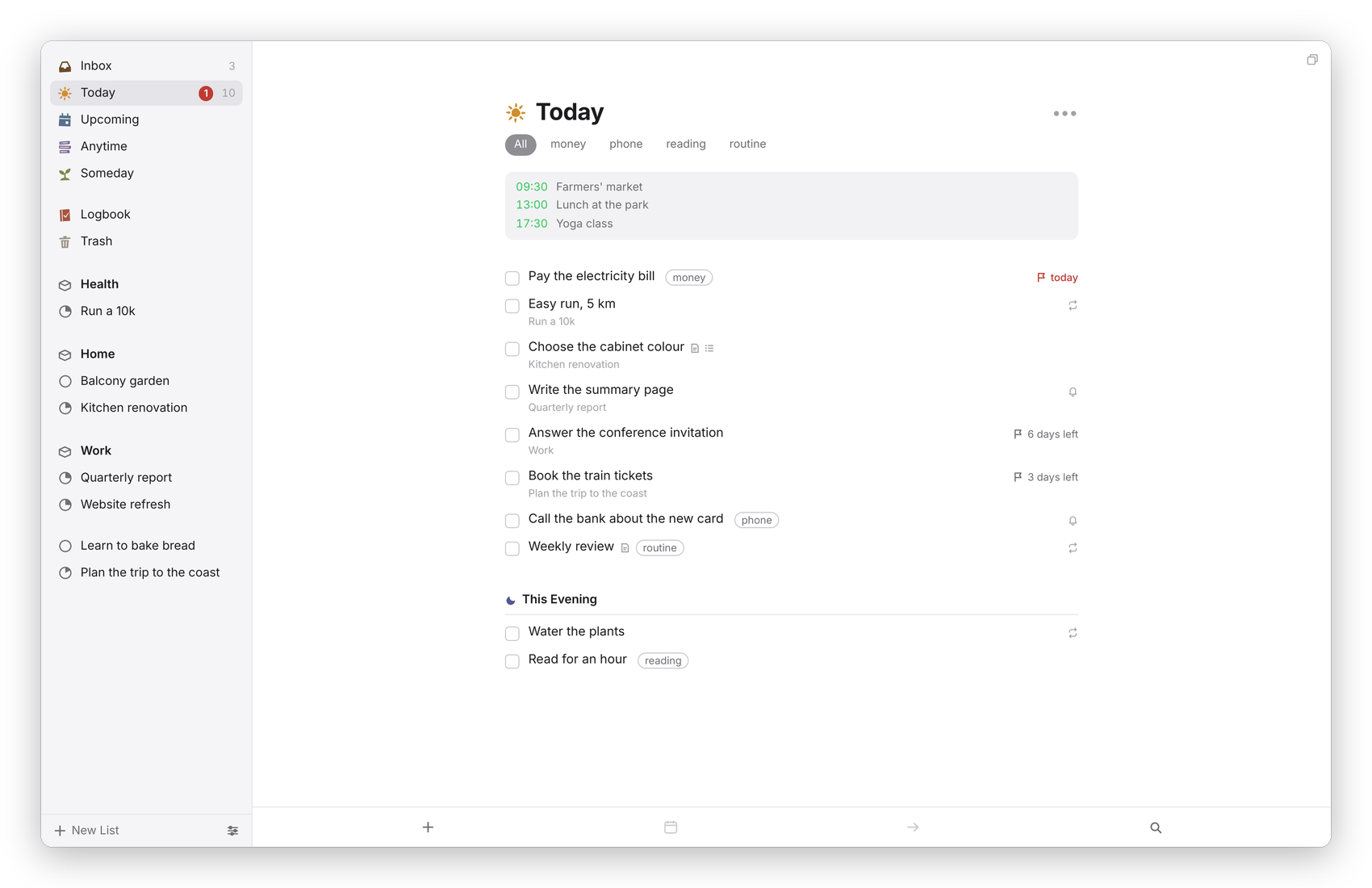 Today, with the calendar at the top and This Evening below.
The idea: the files are the database
Most to-do apps keep your to-dos in their own database, which means the only way to read them is through that app. Dvarim does it the other way round. An area is a folder, a project is a file, and a to-do is one line in that file, written in the same emoji format the Obsidian Tasks plugin uses. Anything that can't live in a file, like the order you've dragged Today into or your settings, goes in one small file beside them, .dvarim/state.json, and nothing else is kept anywhere.
This means you can open the folder in Obsidian, in a text editor or on GitHub and read every to-do you have. You can edit them there too, and the app picks the change up a moment later. If you stopped using Dvarim tomorrow, your work would still be there, readable, in the format you already know. Your to-dos as Markdown shows what a file looks like.
What it does
The app is a Svelte web app that the Dvarim server serves, and it's the same page everywhere: in a browser, installed from the browser as an app, and inside the Mac and Android apps, which add the few things a web page can't do. The rules (what counts as Today, how dates are read, how a repeat moves on, how two edits are merged) are one JavaScript engine that runs on the server and in the page, so a device that keeps its own copy of the files gets exactly the same answers.
You can run it two ways. With a server, which is how I use it: one Docker container on a machine at home, pointed at a folder, and every device signs in to it and keeps a copy of the to-dos that syncs with it, so nothing stops working when the connection does. Or with no server at all: the Mac and Android apps can work straight on a folder on the device, which something else (Syncthing, iCloud Drive) keeps in step, or which syncs itself with a Dvarim server or any WebDAV server.
What works where
| Web app | Mac app | Android app | |
|---|---|---|---|
| Every list, project and to-do, the to-do card, Quick Find | yes | yes | yes |
| Keyboard shortcuts | yes, rebindable in Settings → Keyboard | yes, in the Go and Items menus | with a hardware keyboard |
| Works without a connection | yes, from a full copy kept in the browser | yes | yes |
| To-dos in a folder on the device, no server | in the browser's own storage (experimental) | any folder, like your vault's Tasks folder | any folder, through Android's folder picker |
| Quick Entry from anywhere | over HTTP, from a bot, a Shortcut or a bookmarklet | ⌃Space, and the Services menu | share into Dvarim, the New To-Do tile |
| Today at a glance | the menu bar and the Dock badge | the home-screen widget | |
| Reminders | through Signal, from the server | notifications | notifications |
| Calendars in Today and Upcoming | from the server (CalDAV) | the server's, or with a folder, this Mac's own | the server's, or with a folder, the phone's own |
| Shortcuts, Spotlight and Siri | yes |
What it plays with
- Obsidian. The folder can live inside your vault, and every project and to-do can open in Obsidian on the right line. See Using it with Obsidian.
- Syncthing, iCloud Drive and other folder syncs. Dvarim reads and writes a folder and doesn't care what moves it. When two devices change the same file, the changes are merged to-do by to-do. See Sync.
- CalDAV calendars, like Radicale, show their events at the top of Today and under each day in Upcoming, and the apps can show the device's own calendars instead. See Calendars.
- Tasks.org, Apple Reminders and other CalDAV apps can see and tick off your to-dos through a mirror the server keeps, if you switch it on.
- Anything that can send an HTTP request can add a to-do through quick-add, as one line of text ("Call the plumber tomorrow 3pm #home"). My Signal bot does it this way.
- Signal, for reminders, when the server has a Signal sender set up.
What it isn't
Dvarim is a personal project. I built it for myself, and there are no app-store builds: the Mac and Android apps are built from this repository. It doesn't do teams or shared lists, and it doesn't try to: it's one person's to-dos, in one person's files. If you run a server, you can invite family and friends to keep their own to-dos on it, each in files of their own (see Other people on your server), but nobody sees anybody else's.
Next step
If you want to try it, Install walks you through the server and the apps.