The page
Everything Borer is doing is on one page, from what needs me at the top to what it skipped at the bottom. It checks for news every 15 seconds, and every few seconds while it's busy.
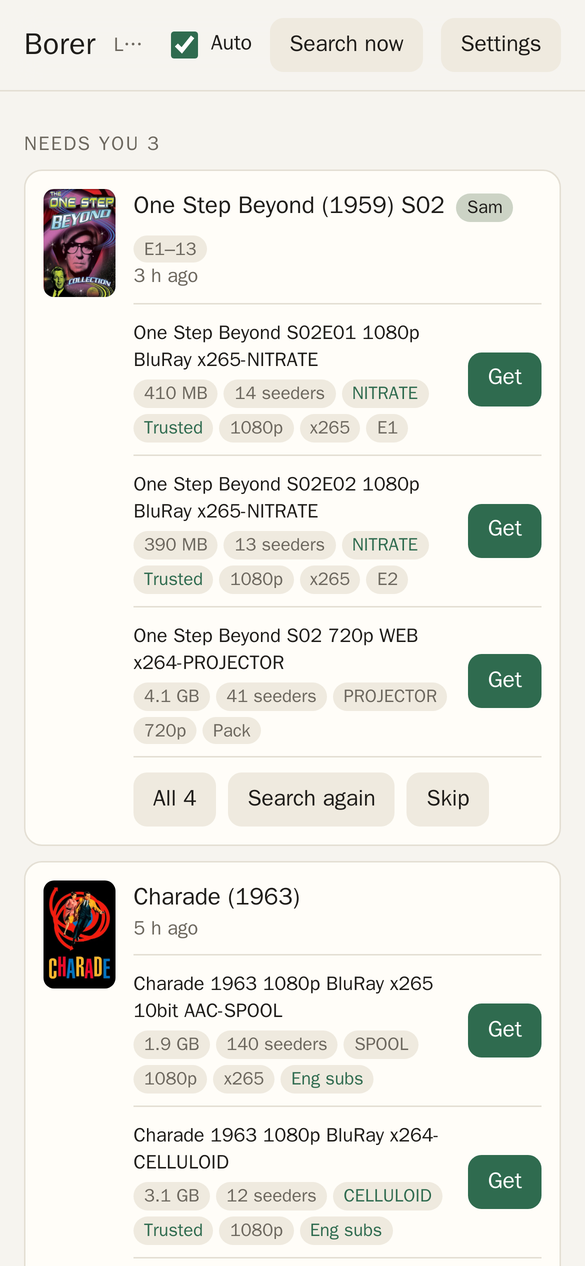
The top bar
- "Looked … ago" is when Borer last searched, and while it's working it says what it's doing.
- Auto on means it grabs on its own when it's sure. Off, it still searches and shows what it WOULD get, but grabs nothing until I pick. Turning it back on grabs what it was sure about in the meantime.
- Search now runs a pass right away instead of waiting for the next one.
- Settings opens the Settings.
Needs you
Everything Borer isn't sure about, with the top three releases for each, their size, seeders, group, quality and episodes. "Trusted" means a group I've used before. A release with a red reason ("Wrong show", "Cam", "Dub only" and so on) is out, and it's there so I can see why.
- Get grabs that release.
- All 25 shows every release it found, not just the top three.
- Search again searches for that one right now.
- Skip stops Borer looking for it.
Anything new here also goes in my 07:15 email.
Getting
What's downloading, with how far along it is. If a download hasn't moved for a couple of hours it says so.
- Another drops the download, blocklists that release in Radarr or Sonarr, and picks the next one.
- Cancel drops the download and skips the film or season, without blocklisting anything.
Got
What arrived, and what happened to it.
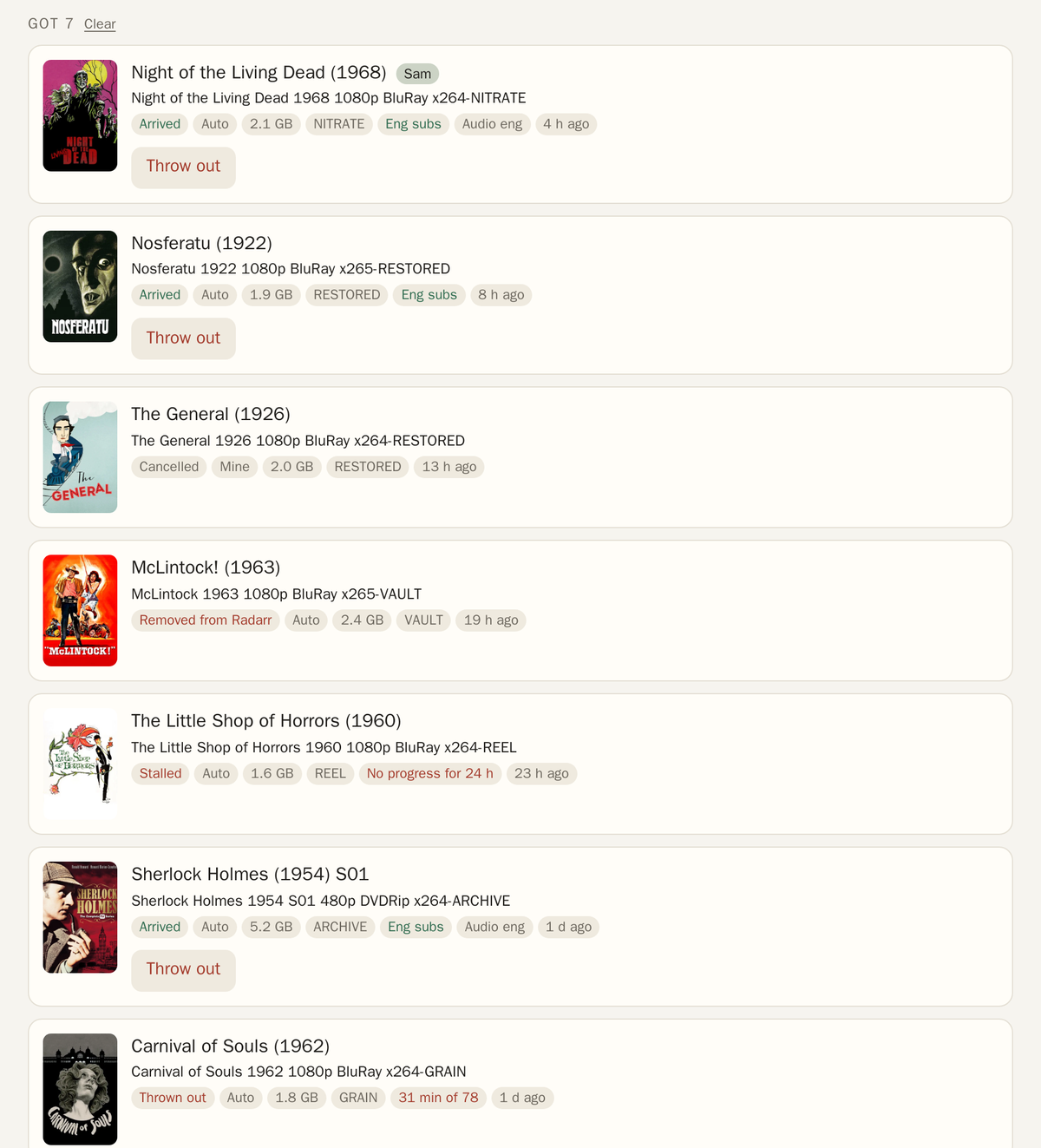
- Arrived means it's in the library and passed the checks. The chips say what's in it, like "Eng subs" and the audio languages. "Auto" means Borer picked it, "Mine" means I did.
- Check means an episode arrived but something about it looks off. Episodes stay so I can look, films don't.
- Stalled and Thrown out mean Borer dropped it and picked another. See Catching fakes.
- Removed from Radarr or Removed from Sonarr means I removed the film or show while it was downloading, so Borer stopped following it. An unfinished download goes with it, a finished one stays under Seeding.
- Throw out deletes it from the library, blocklists the release and picks another. For a season, only the episodes that release brought.
- Clear empties the list (anything still downloading stays).
Seeding
Every torrent in Transmission, how far it's seeded and what its limit is: "1.3× / 50×" means it's uploaded 1.3 times its size and stops at 50. "Done" means it reached its limit, "Mine" means I set it myself, and "Private" means it's from a private tracker and keeps that tracker's rules. "Not in library" means the library has no copy of it. See Seeding.
Tapping one opens what I can do with it:
- Set a number of times it seeds.
- Forever, to seed it with no limit.
- Rules, to put it back on Borer's tiers after I set it myself.
- Stop and Start.
- Delete, with its files. On one that isn't in the library it asks again, and says it's the only copy.
Waiting
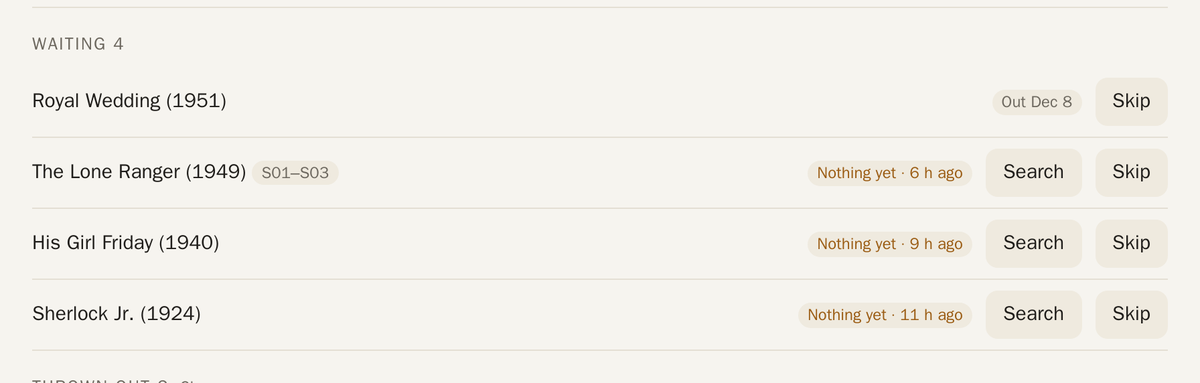
What Borer is still looking for: films that aren't out at home yet ("Out Dec 8"), and anything nobody has posted ("Nothing yet"). Search searches for it now, and Skip stops it looking.
Thrown out, Skipped and the log
- Thrown out is every release Borer dropped and why. Clear empties it.
- Skipped is everything I skipped, and everything I'd deleted. Search again brings one back.
- Log, at the bottom, is everything Borer did, newest first.
Next: Settings