Map and People
Map and People are your world as your vault holds it: the places on your map, and the people who live in them. Everything you see on these screens is a note in your vault, and everything you change here changes that note, so Olam and Obsidian always agree.
Both screens need a vault (see Your vault). Neither one is in the demo.
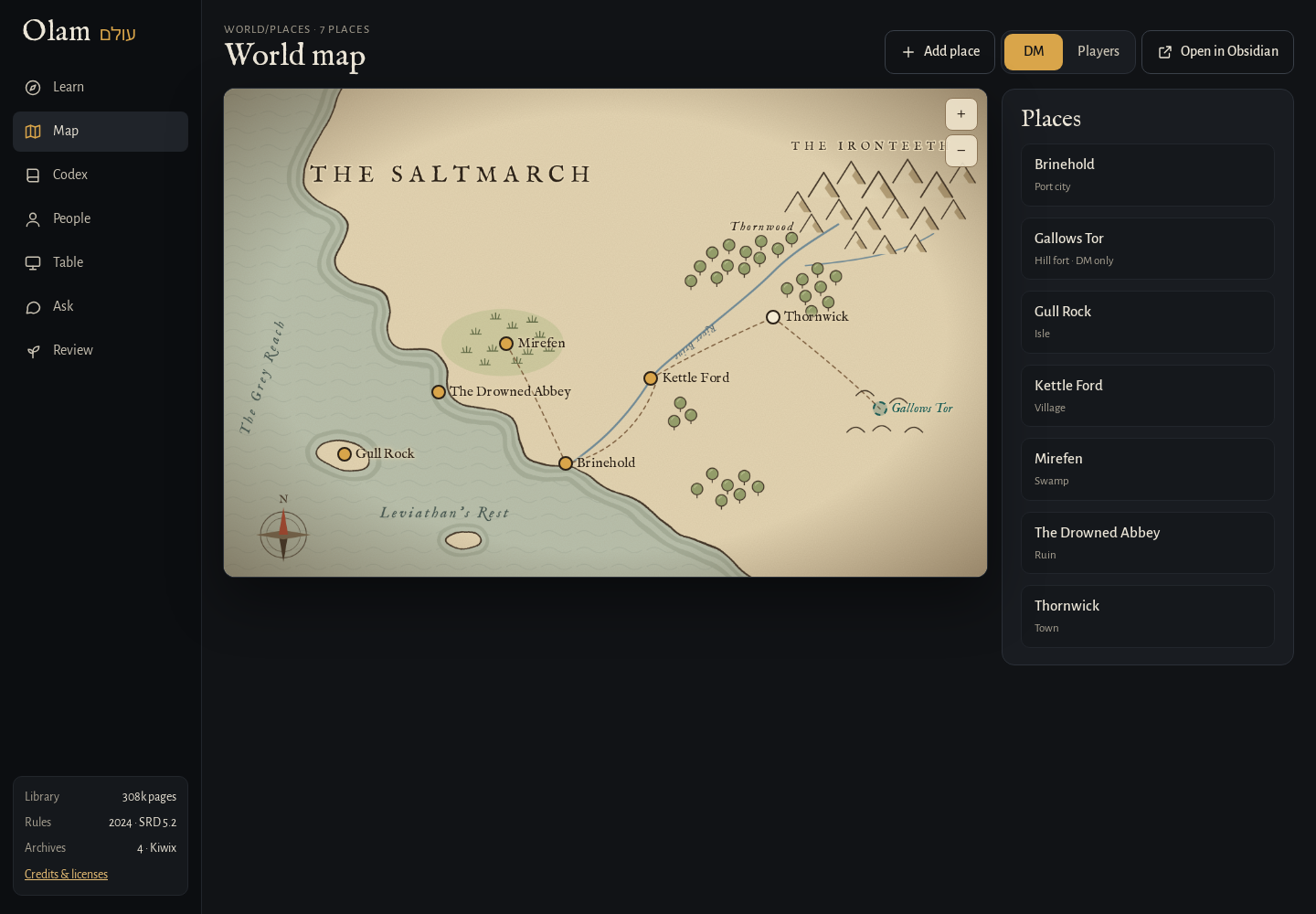 The Map, with a pin for every place.
The map
The Map shows World/Maps/World map.png with a pin for every note in World/Places that has a location. It's the same frontmatter the Leaflet plugin reads, so the pins are in the same spots in Obsidian.
- Add a place. Press Add place, click on the map where it goes, give it a name and a type (City, Town, Village, Ruin, Dungeon, Wilds, Landmark or Sea), and press Save. Olam makes a note for it in
World/Places, with three lines for you to fill in: What's here, Who's here and A secret. - Move a pin. Drag it. Olam changes only the
locationline in that place's note. - Look at a place. Click its pin, or pick it from the list beside the map. You'll see its note, the people who live there, and Open in Obsidian to edit it.
- Zoom. Use the + and − buttons, or Ctrl (⌘ on a Mac) and scroll. When you're zoomed in, drag the map to move around.
Each place has two switches:
- Mark visited is for places the party has been to. Visited pins look different, so you can see at a glance how much of the world they've seen.
- DM only is for places the players shouldn't know about yet, like the hidden cult temple or the dragon's real lair.
The players' view
At the top of Map and People there's a switch between DM and Players. The Players view shows only what the party knows: on the Map, only places that are visited and not DM only, with any line that mentions a secret left out. On a person's page, it hides their secrets and the Wants, Fears, Secret and Voice lines, so the players see their name, ties and details, and what's been revealed.
This is the view I'd put on a TV or a second screen during a game, so the players can look at the map without seeing anything they shouldn't.
People
People lists everyone in World/People, with their portrait (or their first letter), their role and their home. Press New person to make someone: a name, a role (like "Harbormaster") and a home from your places. Olam makes their note from the NPC template, and opens their page.
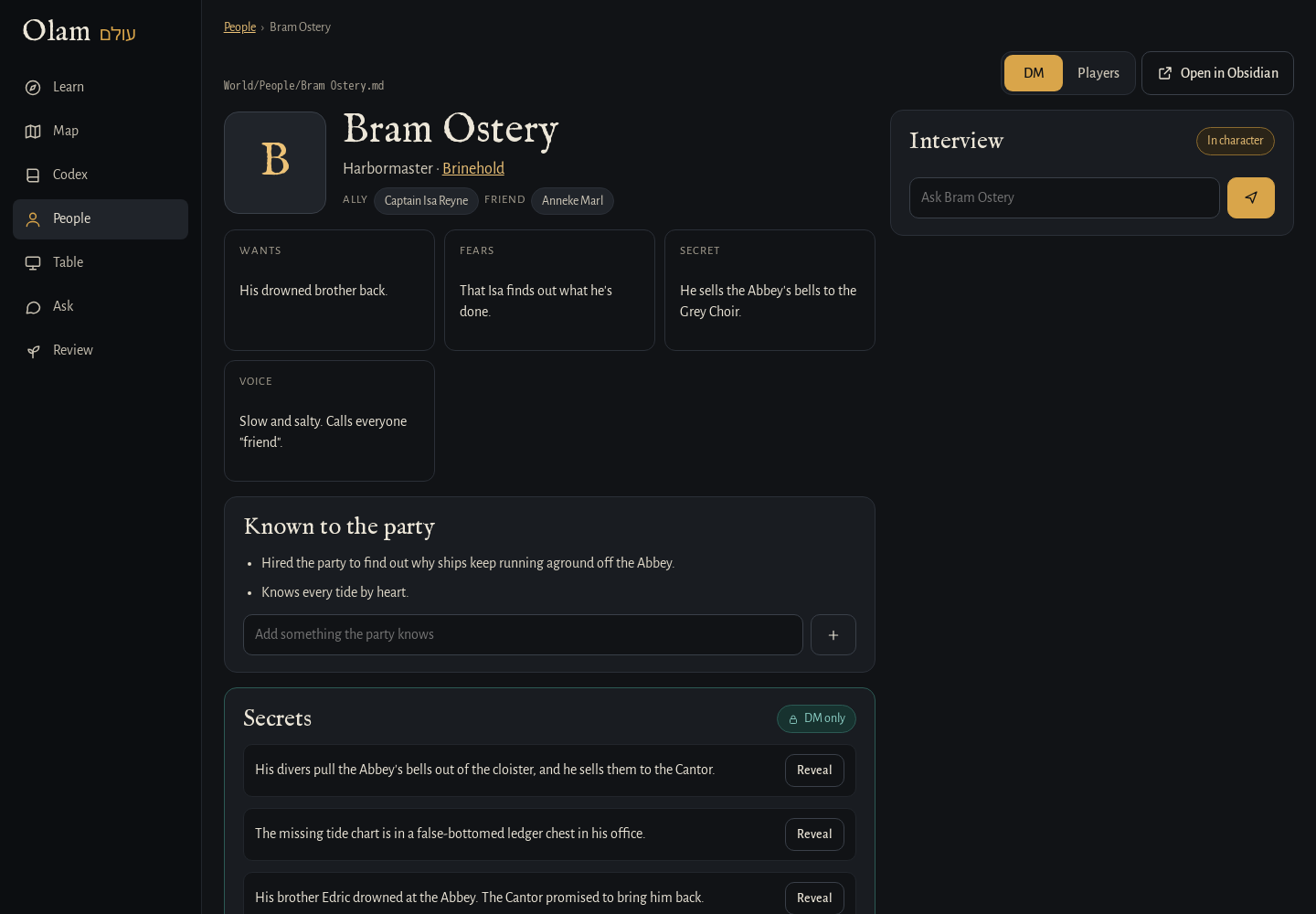 A person's page: ties, secrets to reveal, and an interview.
A person's page has:
- Their name, role and home. The home links to its place on the map.
- Their ties, like ally, enemy, family, friend, rival or mentor, each a link to that person or place. These come from the frontmatter that the Relations plugin reads.
- Wants, Fears, Secret and Voice, from the
**Wants:**-style lines in their note. Voice is how they talk, which helps a lot when you're playing them. - Known to the party, what the players have learned about them. Add a line with the box under it.
- Secrets, marked DM only. Add one with the box under it. When the party finds one out, press Reveal, and Olam moves it into "Known to the party" with the date, like "(revealed 2026-11-02)", so you have a record of when they learned it.
- Details, the facts you've kept from interviews.
- Appears in, every note in
World(outside People) that links to them, like the places, sessions and encounters they show up in.
To give someone a portrait, put the picture anywhere in your vault and put its file name in the npcimage line of their note.
Interviewing someone
With the AI features on, a person's page has an Interview box. Ask them anything, and they answer in character, in their own voice, from their note. They won't contradict what's written about them, and they guard their secrets the way the character would, though a good question might make one slip.
When they invent a detail worth remembering, it shows under their answer with a Keep button. Press it and it goes into their note under Details. Nothing is added unless you keep it. Basically, it's a way to get to know a character before your players meet them, and to grow the world a little at a time without losing track of what you've decided.
Next step
When the party walks into a fight, go to The Table.