Your profile
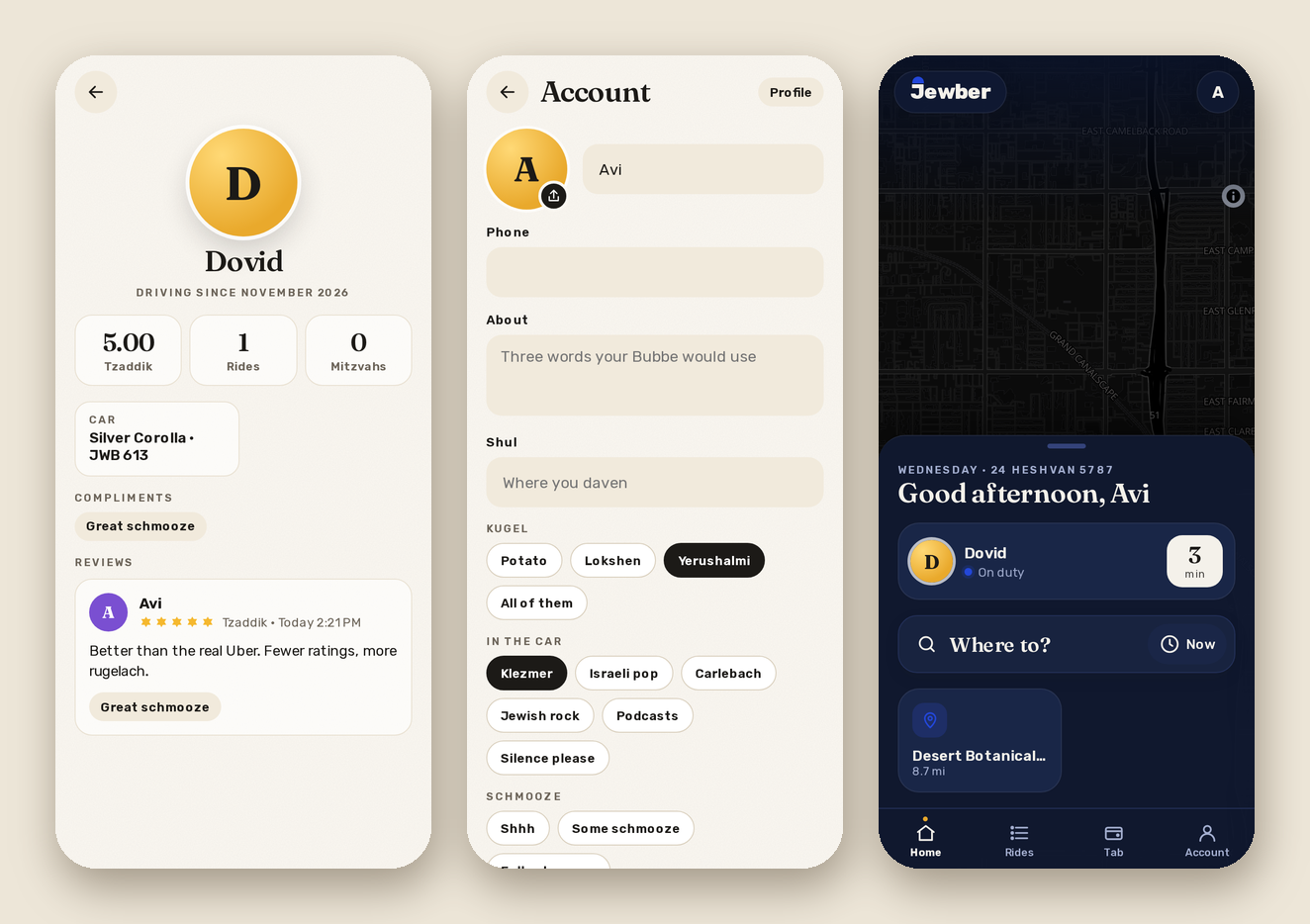
Account is where you are. Everything saves as you change it.
- Your photo: tap the circle and pick one. Jewber crops it to a square and makes it small before it leaves your phone. Remove photo takes it off again.
- Your name and phone #: your phone # is only shown to me, and only during a ride, so I can text you "I'm outside".
- About, Shul, Languages, Fun fact: whatever you want people to know.
- Kugel, In the car, Schmooze: tap one. This is the important stuff, like Yerushalmi, Klezmer, Full schmooze.
The Profile button shows your page the way it looks to others: your photo, your rating as a rider, your rides, the compliments I've given you, and my reviews. You can see my page by tapping my face anywhere in the app.
Signing in
Under Signing in you can pick a username and set a password, so you can sign in with either your email or your username and the password instead of waiting for a code. Changing the password asks for the old one and signs you out everywhere else. Remove password takes it away again, and the email code always works.
Light and dark
Auto, Light or Dark, in Account. Auto follows your phone. It's saved per phone, so it can be dark on your phone and light on your laptop.
Sounds and notifications
Sounds turns the shofar (when I accept) and the chime (when I'm outside) on or off. On a website or the iPhone home-screen app, Notifications asks your browser for permission so you get "on the way" and "is here" with the app closed. The Android app does this by itself.