What is Friend Garden?
Friend Garden is a web page that helps you keep in touch with the people you love. Every friend is a plant in your garden, and getting in touch waters it. A plant that's gone a while without water starts to look a little thirsty, which is the whole reminder. It never dies, it never scolds you, and it doesn't count streaks.
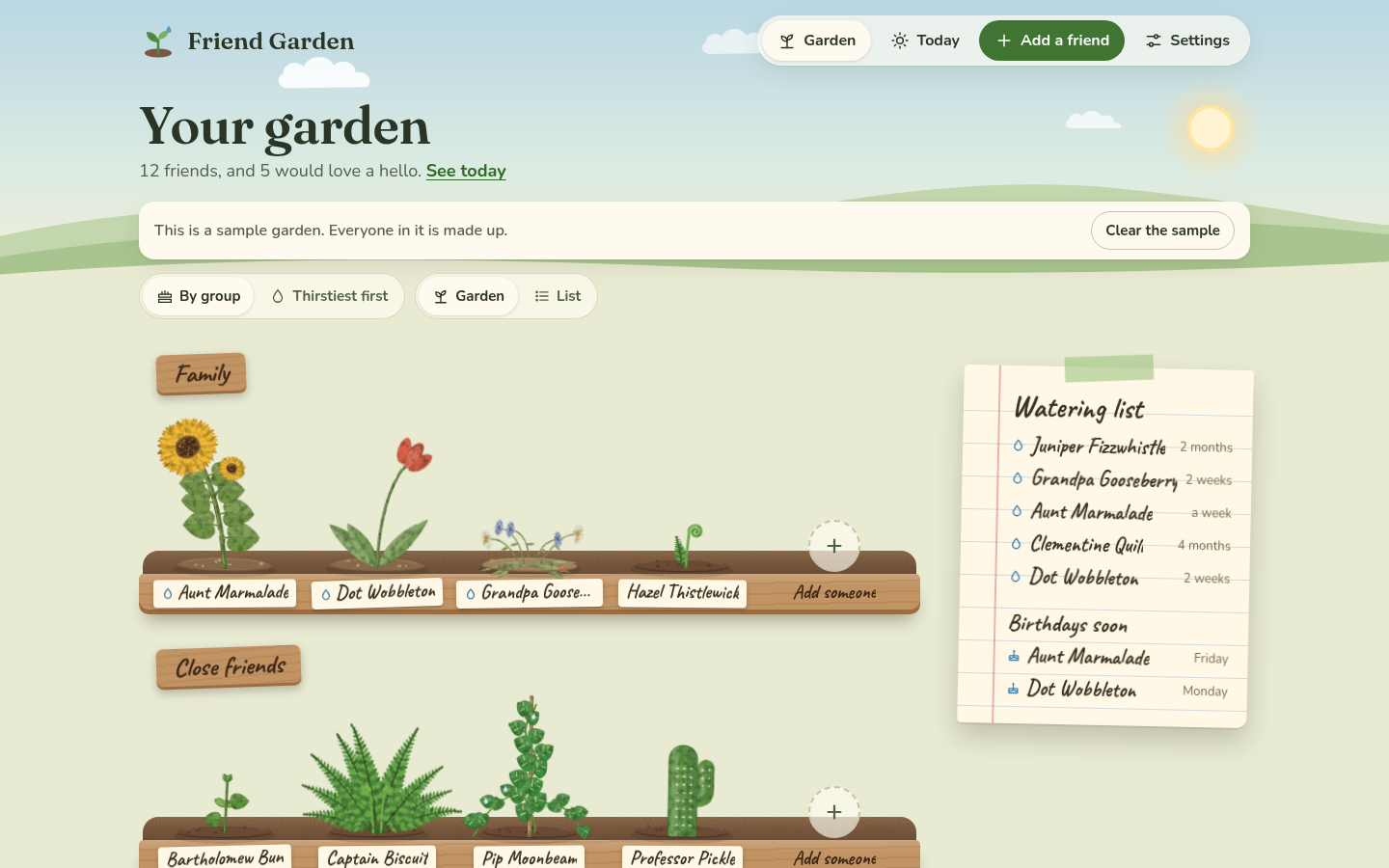 The garden on a computer. Each group is a planter, and each friend is a plant with their name on the front.
What it does
You add the people you want to stay close to, and for each one you say how often you'd like to be in touch: every week, every 2 weeks, every month, every 3 months, or "whenever". Each friend gets a plant, one of eight kinds, all drawn by hand. When that much time goes by without a hello, the plant gets a bit thirsty, and if it goes twice as long it gets droopy.
When you talk to someone, you open their plant and tap We talked. You say how (a call, a text, a visit, a letter or a voice note), add a note if you like, and then it asks "Anything to ask about next time?", which is where the new job or the trip goes so you remember it next time. A watering can tips over the plant and it perks up. Over the months, the more often you're in touch, the more the plant grows, from a seedling to full bloom.
The Today page picks two people for a hello, shows the birthdays in the next week, and tells you how many people you were in touch with this week. Basically, instead of trying to remember who you haven't called in ages, you look at your garden and it tells you.
Who it's for
Anyone who has ever realized it's been a year since they talked to someone they really like. It works just as well for five people as for fifty, and for family as much as friends. If you're the organized type, the groups and the birthday calendar are there for you, and if you're not, you can just add people and tap We talked now and then.
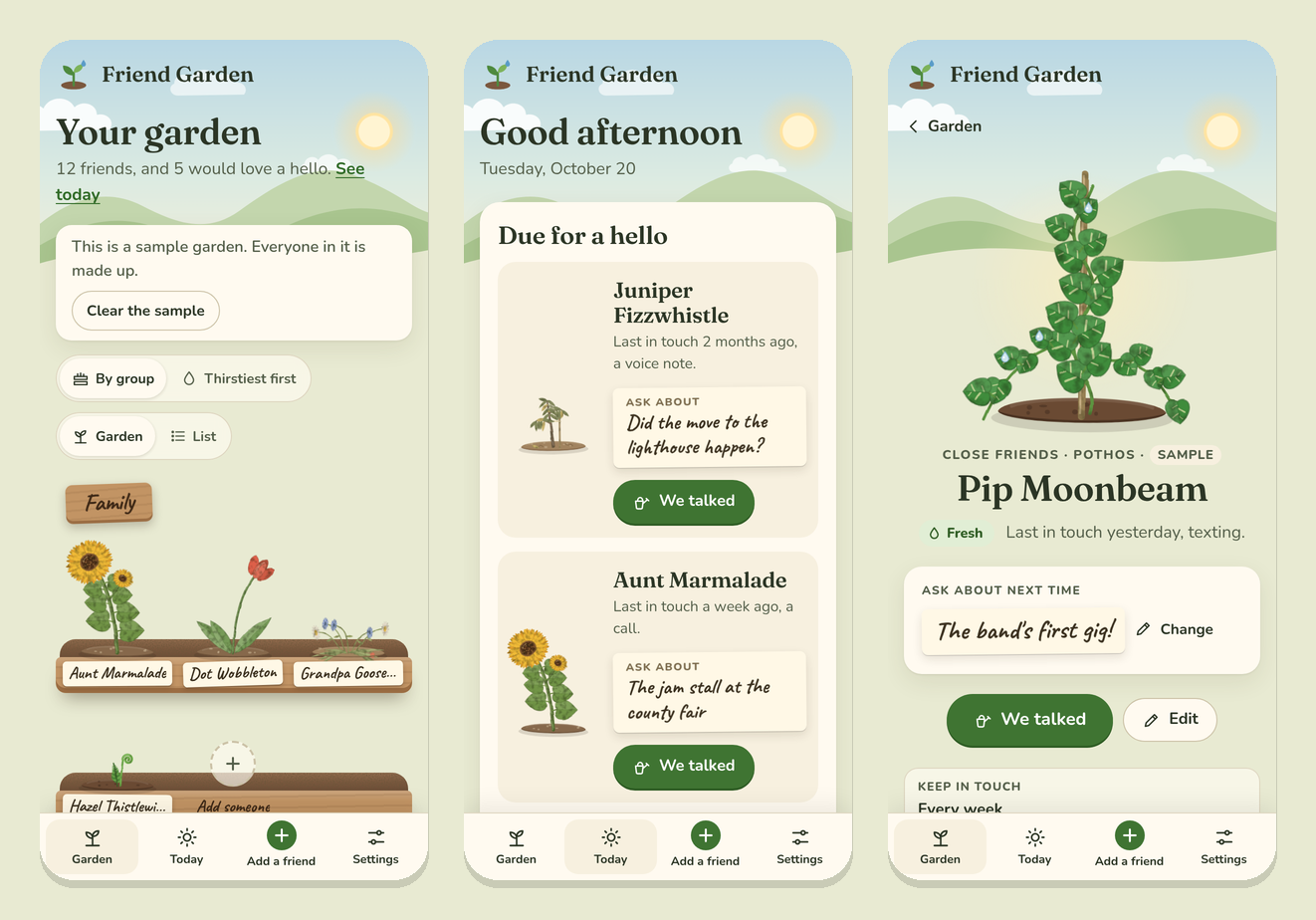 On a phone: the garden, Today and a friend's card.
Where it works
Friend Garden is one web page, so it's the same everywhere: on a phone, a tablet or a computer, in any up-to-date browser. On a phone it has tabs at the bottom, and on a computer they're at the top. You can add it to your Home Screen and it opens like an app, and once it has loaded it works without the internet.
It follows your device's light or dark setting. In light mode it's a garden by day, and in dark mode it's the same garden at dusk, with fireflies. You can also pick one yourself in Settings, under "Look".
What stays on your device
EVERYTHING you put in it. There's no account and no sign-in, and Friend Garden has no server of its own to send anything to. The names, notes, birthdays and history you add are kept in your browser's storage on that device, and they never leave it unless you download a backup yourself.
This also means your garden doesn't move between devices by itself. A garden on your phone isn't on your computer, and clearing the site's data in your browser clears your garden too. That's what Download a backup in Settings is for, and Your garden's data explains it.
Next step
Open https://stuffs.tiresia.xyz/friend-garden/ and tap Try it with a sample garden to see how it looks after a few months, or go straight to Planting your garden to add your first friend.