Keeping in touch
This is the part you'll use most. Today tells you who'd love a hello, a friend's card is where you log it, and the plant gets watered. None of it is meant to make you feel behind. There are no streaks, no red badges and no "overdue", just plants that would like a drink.
Today
The Today tab opens with a greeting and the date, and then three cards.
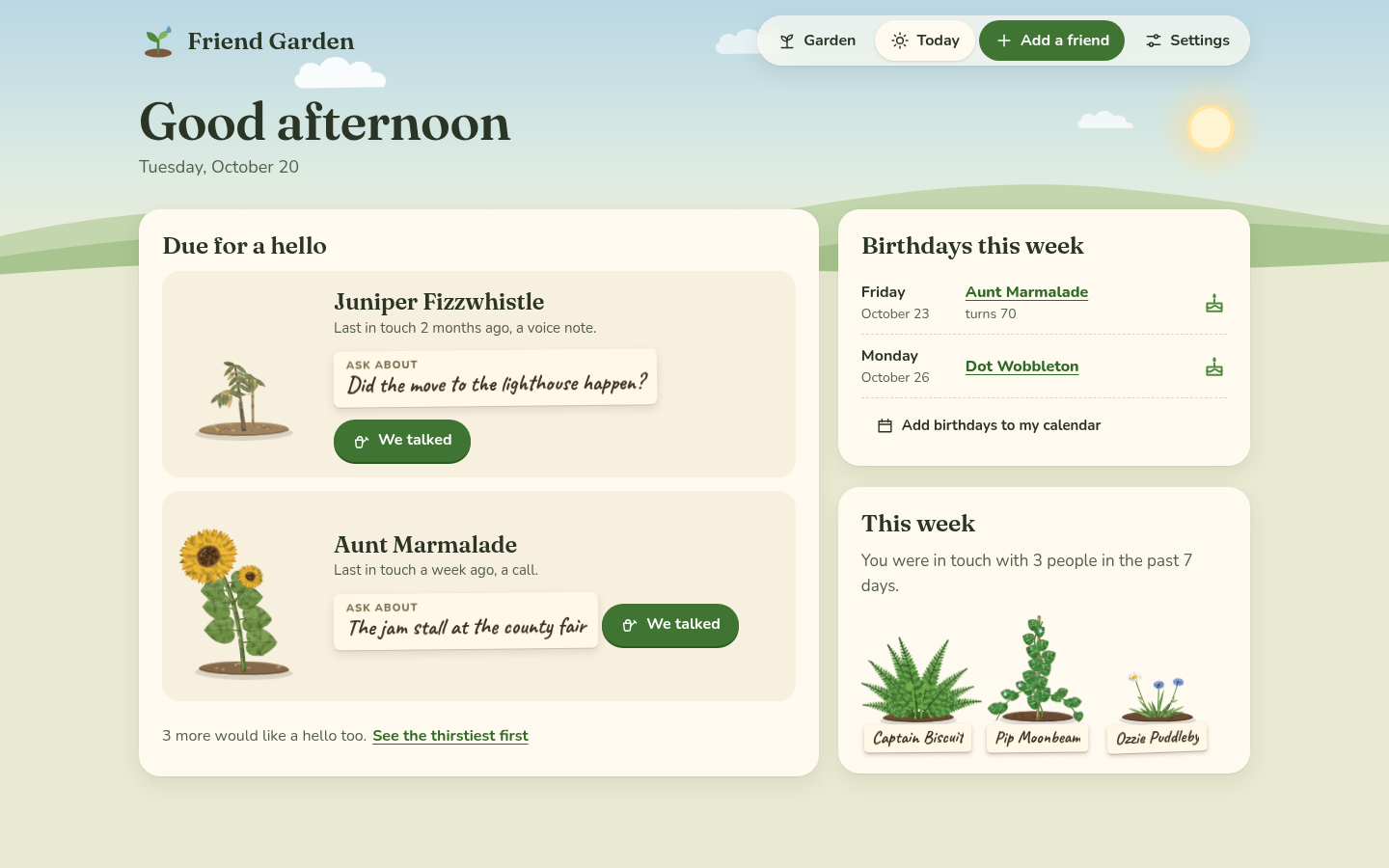 Today: two people to say hello to, birthdays this week and the week so far.
"Due for a hello" suggests two people, never a long list. The first is whoever has waited the longest, compared with how often you wanted to be in touch. The second is one more, from a different group when there is one, which means you don't get two cousins in a row. The second pick stays the same all day, so it doesn't jump around every time you open the page. Each one shows when you were last in touch, their "Ask about" note, and a We talked button. If more people are thirsty, a line under them says how many, with See the thirstiest first, which opens the garden sorted by who's waited longest. When nobody's due, it says "Everyone is watered" and who's next.
"Birthdays this week" lists the birthdays in the next 7 days, with the day and how old they're turning when you added the year. Add birthdays to my calendar downloads them all as a calendar file (see Your garden's data). "This week" says how many people you were in touch with in the past 7 days, with their plants. If it's nobody yet, it says there's plenty of time, because there is.
We talked
Open someone's plant from the garden (or use the button on Today) and tap We talked.
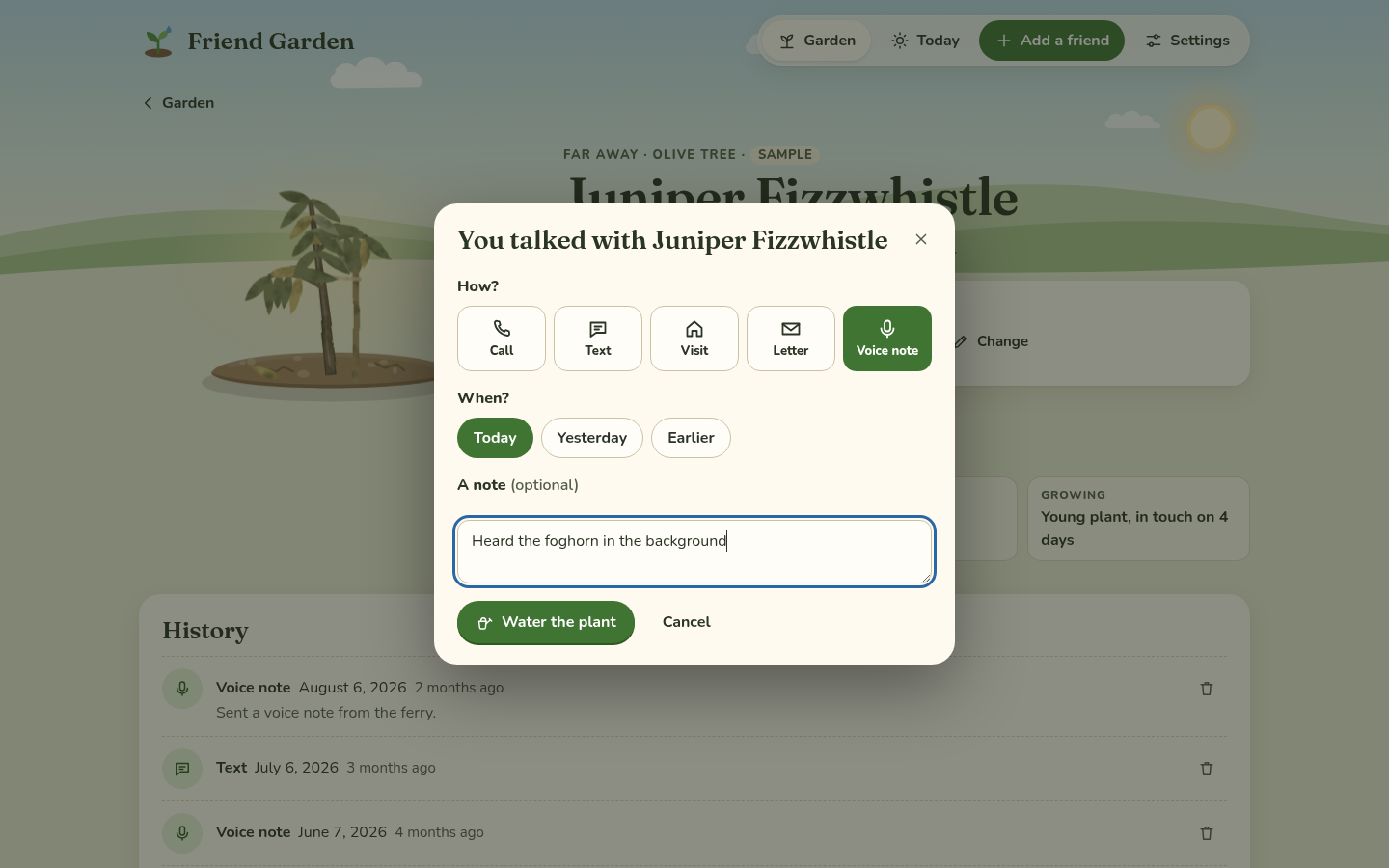 How, when, and a note if you like.
- How? is Call, Text, Visit, Letter or Voice note. It starts on whatever you picked last time for that person.
- When? is Today, Yesterday or Earlier, which shows a date so you can log the call from last week.
- A note is optional, for what you talked about.
Tap Water the plant, and it asks "Anything to ask about next time?", with last time's note already in the box. Change it, Clear it, or keep it the way it is with Keep it (or Not now when there wasn't one).
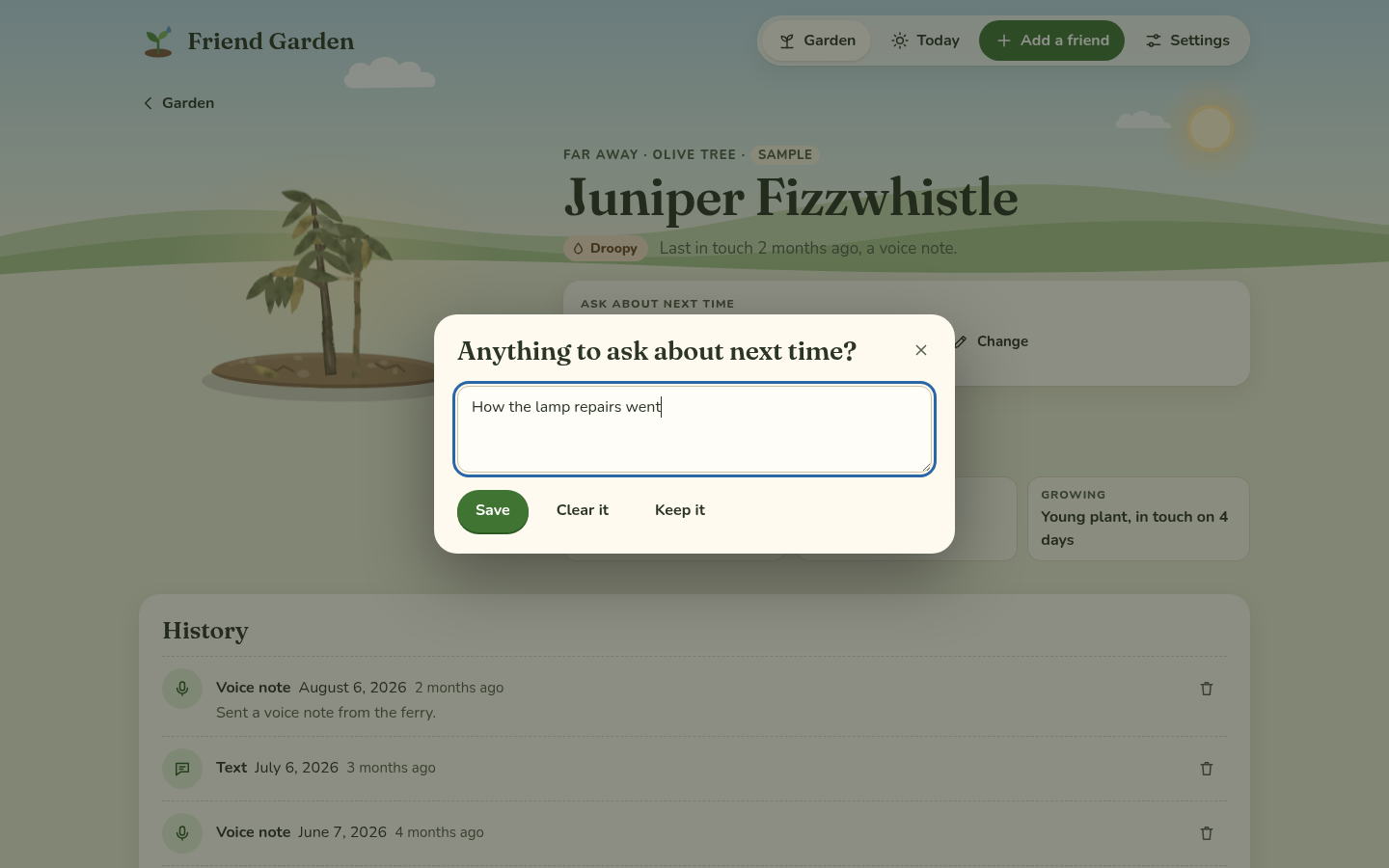 The note for next time.
Then a watering can comes out over the plant, tips, and the plant perks up. If it's been a few days in touch already, it might grow a step, and the little message at the bottom says "It grew a little." For the next day or so you'll see drops of water on its leaves.
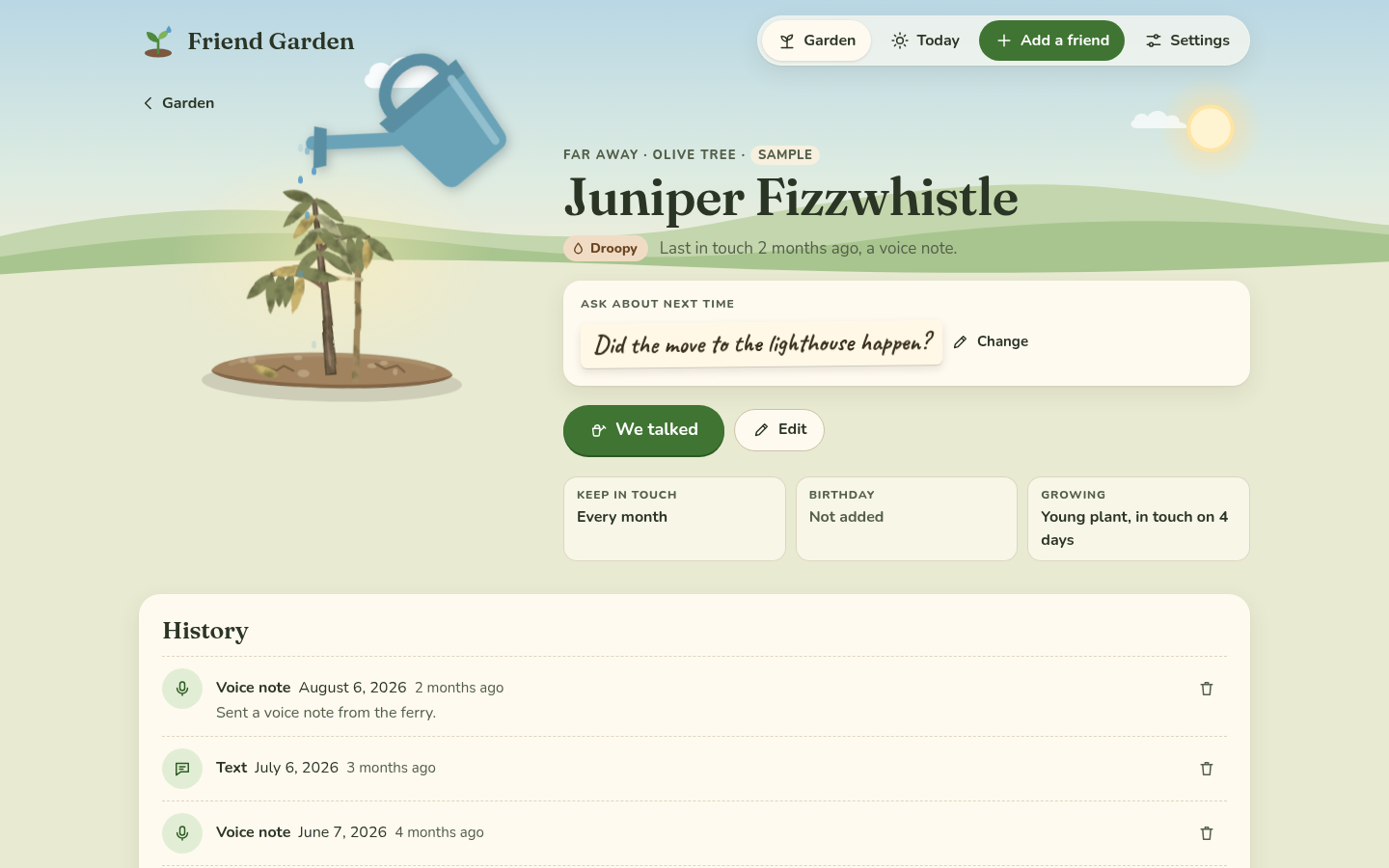 Watering. If your device is set to reduce motion, the plant just changes, with no animation.
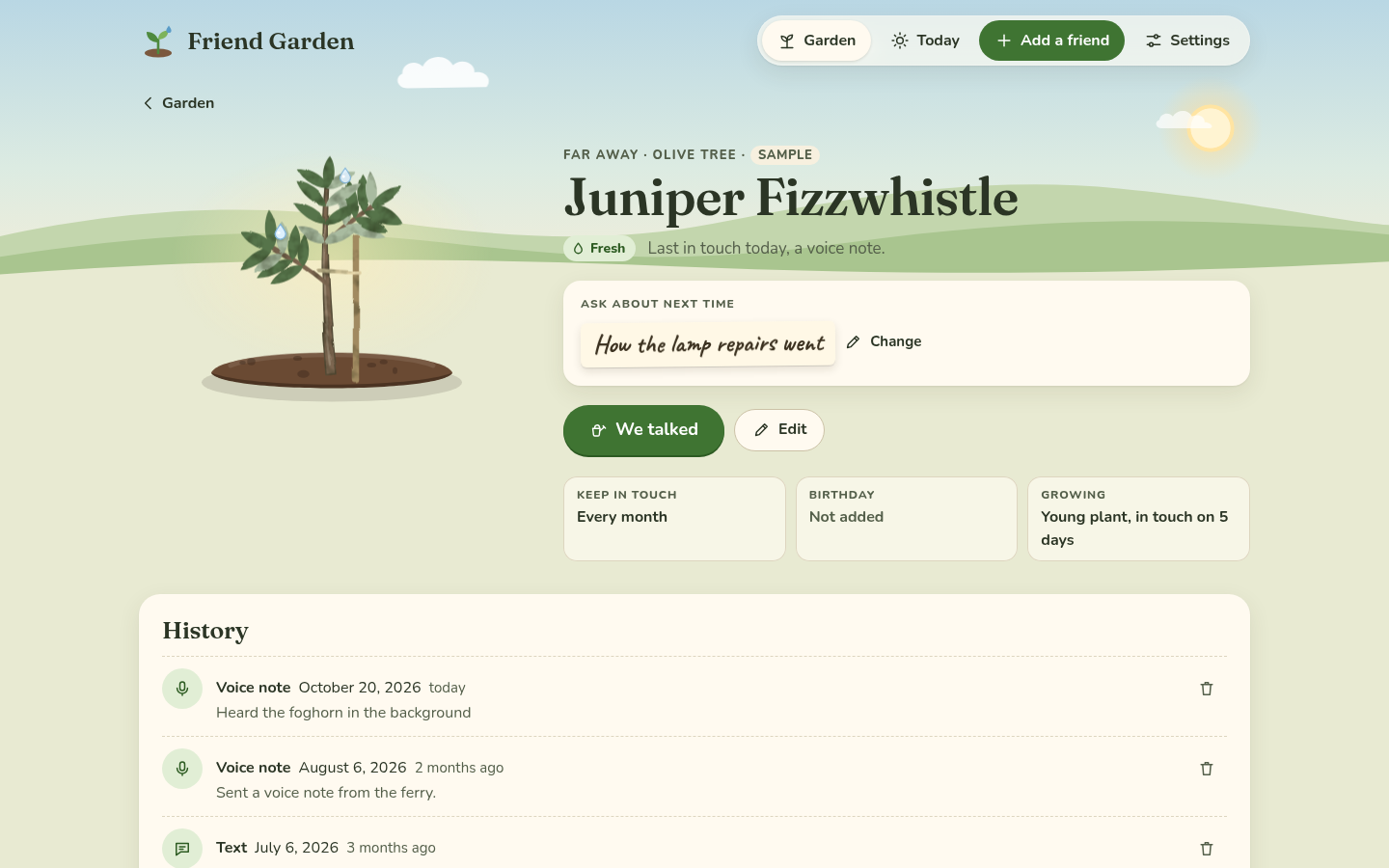 Fresh again, and the visit is at the top of the history.
The card
A friend's card has their plant, big, with their group, the kind of plant, and how they're doing: Fresh, A bit thirsty or Droopy, with when you were last in touch and how. "Ask about next time" is under that, with Change to edit the note without logging a talk. At the bottom are the rhythm, the birthday and how far the plant has grown.
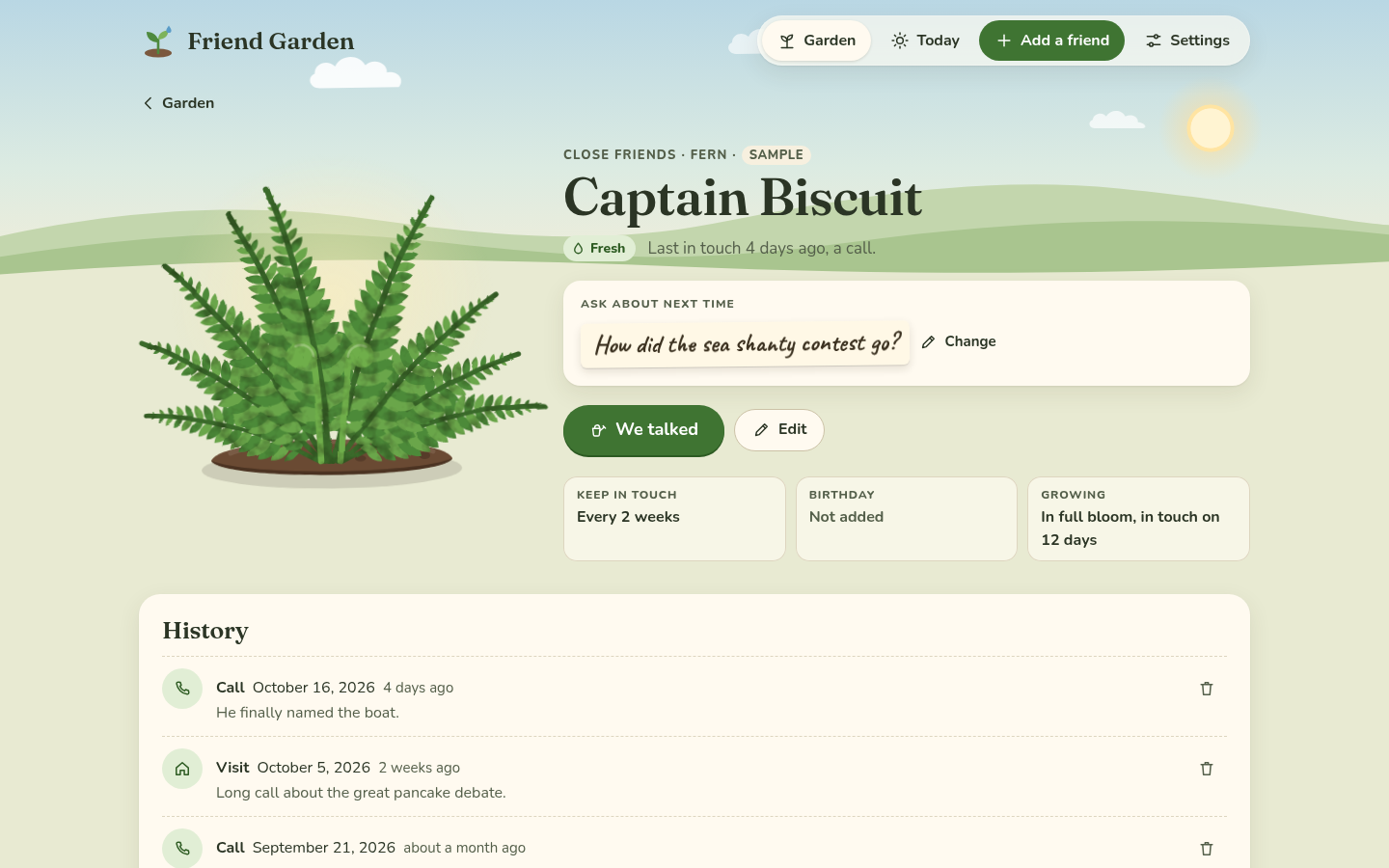 A friend's card.
"History" lists every hello, newest first, with how, the date, how long ago and the note. The bin next to each one removes it, after asking, in case you logged it by mistake. Removing hellos can make a plant thirstier again, but it never makes it smaller, because growth only goes one way.
The watering list
On a wide screen, a sheet of notebook paper is pinned beside the garden. It's the "Watering list": who'd love a hello, thirstiest first, and the birthdays in the next two weeks. It's the same as Today in a glance, so you can see it while you look at the garden.
Getting around with a keyboard
Everything works with a keyboard. Tab moves between plants and buttons, Enter opens a plant, and Escape closes the "We talked" window without logging anything. The garden also has a List view (next to "Garden" above the beds), which is a plain list of everyone with their rhythm, their last hello and how they're doing, and it's the easiest way through the garden with a screen reader.
Next step
If you're curious why a plant looks the way it does, The plants has every kind, every stage and exactly when they get thirsty.