What is Translit?
Translit is a web page that makes the Hebrew and Yiddish words in an English text all spelled the same way. You paste in a transcript, a chapter or an article, pick a house style, and it finds every term it knows in every spelling it's written in, shows you where the text disagrees with itself, and fixes it in one go. It runs in the browser on a computer, a tablet or a phone, and the text never leaves your device.
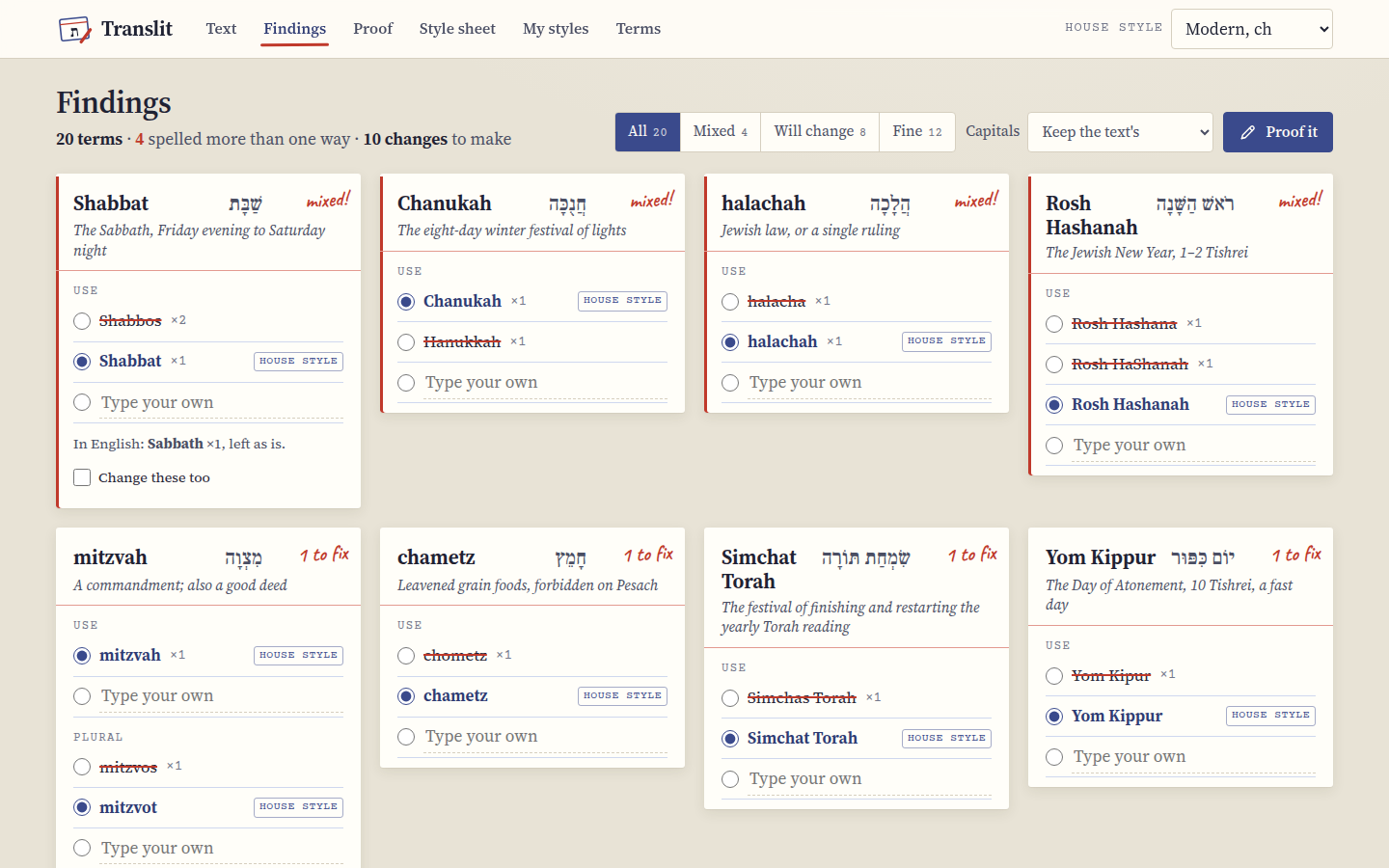 Findings: one index card per term, with every spelling the text uses.
What it does
Say a transcript has Shabbos in one paragraph, Shabbat in the next and "the Sabbath" in a question from the audience. Translit notices all three, puts them on one card under Shabbat, and tells you the first two are the same word spelled two ways. You choose how it should be spelled: the form your house style uses, one of the spellings it found, or something you type. Then the Proof screen shows your text with every change marked in red, the way a proofreader marks a page, and you can leave any single one as it was. When it looks right, Apply changes, and copy or download the result.
It also makes the style sheet I'd otherwise put together by hand at the end of a job: every term in the text in the spelling you chose, with the Hebrew and a short meaning, ready to print or send to the client. And it remembers each client's choices, so the next document from the same client starts where the last one ended.
Basically, it's the editor's style sheet and red pencil, with the boring half done for you.
Who it's for
I made it for anyone who edits, transcribes or translates English texts full of Jewish terms: podcast and lecture transcripts, books, articles, synagogue newsletters, school materials. It's most useful when a text has been through more than one pair of hands, or when different clients want different spellings of the same words.
The house styles
Translit knows four house styles, and every term has a form for each one:
| Style | The rule | Looks like |
|---|---|---|
| Modern, ch | ח and כ as ch, ת as t | Shabbat, Chanukah, halachah, mitzvot, Sukkot, tallit, chesed |
| Modern, h/kh | ח as h, כ as kh, ת as t | Hanukkah, halakhah, hesed, Sukkot, tallit |
| Academic | ח as ḥ, כ as kh, ha- and be- hyphenated | Ḥanukkah, halakhah, ḥesed, Rosh ha-Shanah |
| Ashkenazi | ת without a dagesh as s, kamatz as o where it's usually written that way | Shabbos, Sukkos, mitzvos, tallis, kashrus, chesed |
The house styles and the terms has the details, including the cases where the rule bends to how people really write.
Where it works
Translit is one web page, so it works in any up-to-date browser. On a computer you get the whole page at once, with the proof marks repeated in the margin. On a phone the same screens stack up, and the marks stay in the text. I've checked it in Chrome on a computer and at phone size, which is also how the screenshots in these pages were made.
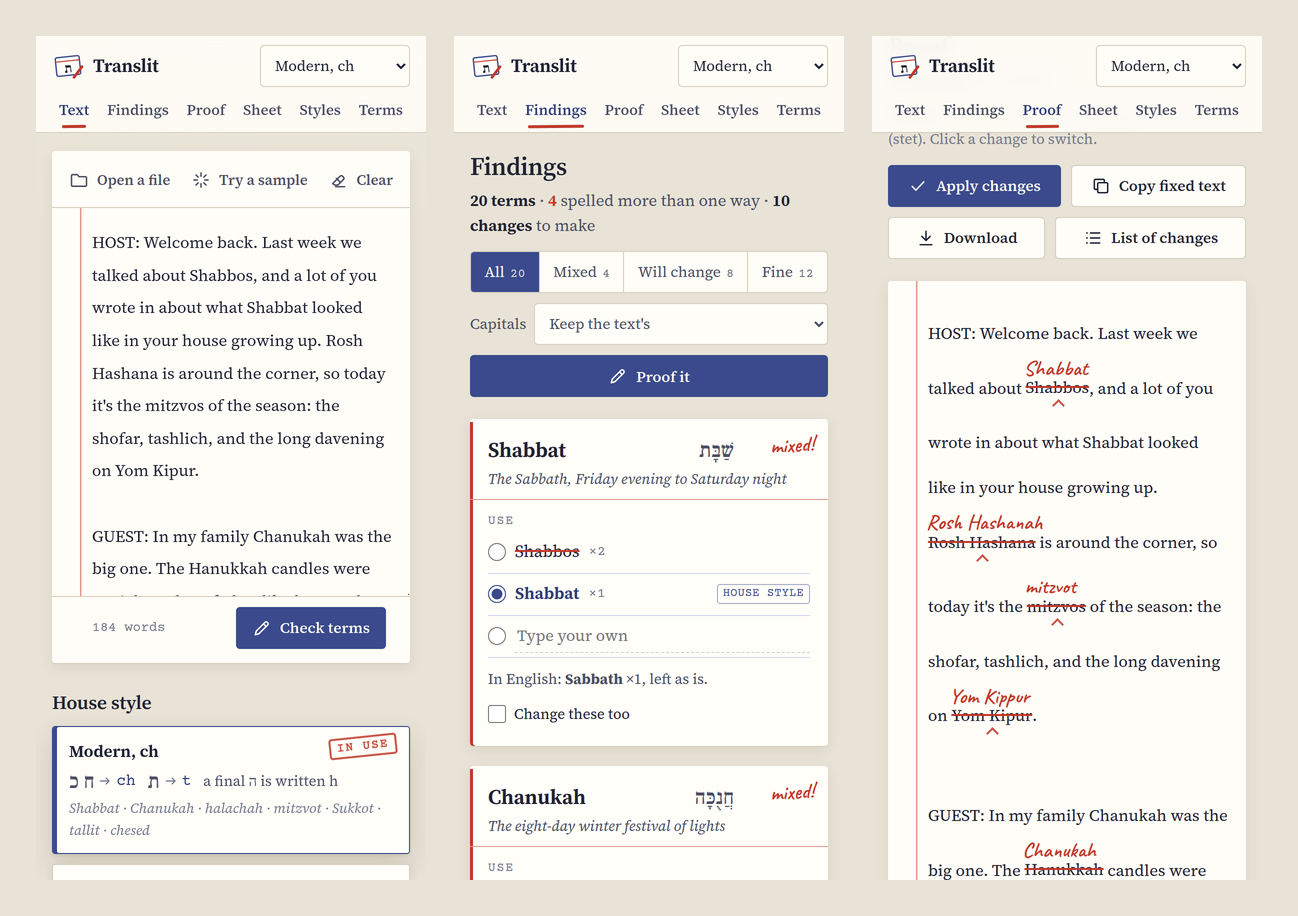 The same three screens on a phone.
If you'd like it on your Home Screen, open it in Safari on an iPhone or iPad, tap Share and choose Add to Home Screen, and on Android use the browser menu. It then opens like an app.
What stays on your device
Everything. Translit doesn't upload your text, there's no account, and there's nothing on the page that talks to anyone else. The only things it downloads are its own files: the page, its fonts and the term list.
What you do is kept in your browser's storage for the page, on your own device: the last text you worked on, your choices, and your saved client styles. That also means they don't move between devices by themselves, and clearing the site's data in the browser deletes them. Export under My styles saves your client styles to a file, which you can Import somewhere else. In a private window, or anywhere the browser won't keep storage, Translit still works, and your choices last until you close the window.
Next step
Open Translit, press Try a sample, and then Checking a text walks you through what you're looking at.